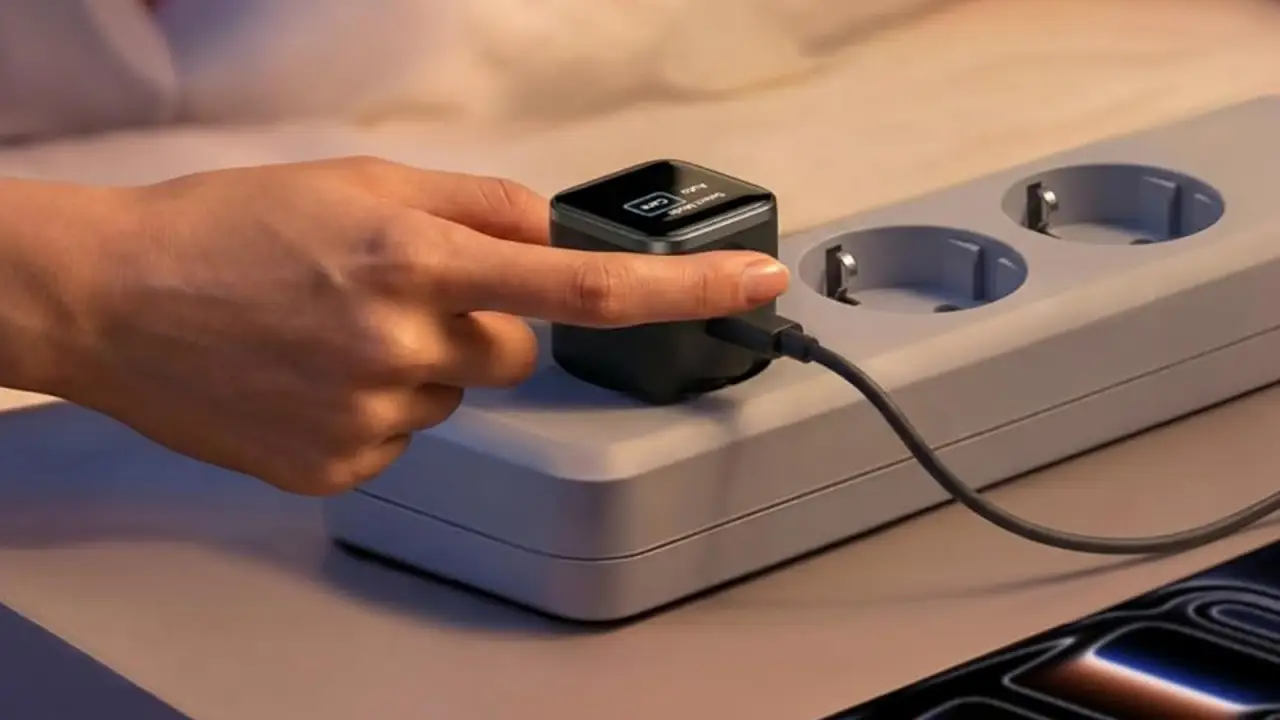
Anker Smart Display Charger Review: Too Much Screen for a Desktop Power Brick?
Smart or just marketing hype?
The Smart Display Charger Conundrum: A Practical Review
You’ve got a cluttered desk, and you’re tired of juggling multiple power cables. A built-in smart display on a charger seems like the perfect solution – but does it really simplify power management or just add another glowing screen to the mess? After a few weeks, i think ive reached my verdict.
The Good Stuff: Display Functionality
This charger has some great features. The display is easy to read, even in bright light conditions. It shows you exactly how much power each device is drawing, which can be super helpful when you’re trying to squeeze every last bit of juice out of your devices. But here’s the thing – the controls can be a bit finicky. I found myself accidentally turning off the display more times than I can count.
The Not-So-Good Stuff: Charging Performance
Now, let’s talk about charging performance. This charger excels at charging laptops, but it falls short when it comes to phones and tablets. And don’t even get me started on mixed-device charging – it’s like trying to herd cats. The charger just can’t seem to manage power distribution efficiently.
The Double-Edged Sword of Display Usefulness
A built-in smart display is a double-edged sword. On one hand, it provides valuable information about your devices’ charging status. But on the other hand, it can be distracting or unnecessary in certain situations. For example, when you’re charging a single device with a simple power adapter, the display just gets in the way.
Alternatives to Consider
If you’re still unsure about this product, consider these alternatives:
- Anker desktop chargers without a display: Simpler, more affordable options that get the job done.
- Ugreen or Satechi desktop charging stations: More feature-rich options with better cable management and power distribution.
- Compact travel chargers: Ideal for those who prioritize portability over desk setup convenience.
The Verdict
In conclusion, a smart display charger can be a useful addition to your workspace – but its effectiveness depends on your specific needs. If you value the convenience of a built-in display and are willing to compromise on some aspects, such as charging performance or desk setup fit, then this product might be worth considering. However, if you prioritize simplicity and affordability, a simpler charger without a display might be a better choice.
The Upgrade Decision Matrix
- Buy this if: You’re tired of juggling multiple power cables and want the convenience of a built-in display.