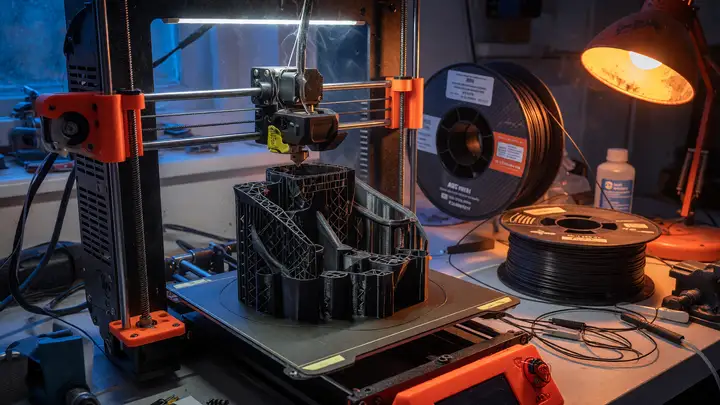
3D Printing with Engineering Materials: Guide for ABS, ASA, and Nylon (PA)
Compare ABS, ASA, and Nylon for functional 3D printing. Covers temperatures, enclosures, mechanical properties, pricing, warping fixes, and hardware setup.
Picking the right filament for functional prototypes usually boils down to one question: will the part hold up to real heat, impact, and whatever environment it ends up in? ABS, ASA, and Nylon can handle that kind of abuse, but each one needs its own hardware setup and handling—nothing like the simple PLA workflow most people start with. Temperature and Enclosure Requirements All three materials want a warm chamber. Without it, larger parts warp or split between layers. ABS runs best at 230–255 °C nozzle and...
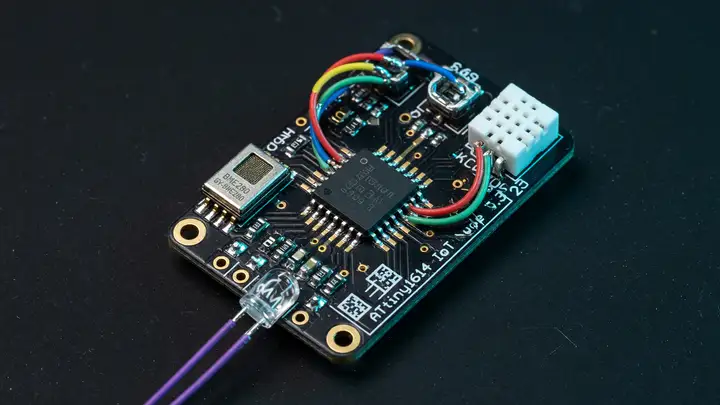
ATtiny1614: Why This Tiny Chip Is Perfect for Dedicated Sensor Nodes
Discover how the ATtiny1614 microcontroller excels in dedicated sensor nodes, offering ultra-low power consumption and versatile peripherals for year-long battery life.
When building a sensor node meant to run a year or more on a small battery, the microcontroller often makes or breaks the project. The ATtiny1614 manages this with 16 KB of Flash, a 0.1 µA power down current, and a solid set of peripherals packed into a 14 pin chip. Core Specifications It uses an 8 bit AVR core that clocks up to 20 MHz and includes a hardware multiplier. Here's the memory and I/O breakdown: 16 KB Flash, good for 10k write cycles 2 KB SRAM 256 bytes EEPROM, rated for 100k cycles 12 programmable I/O...
Bambu Lab P1S vs Creality K1C: Which CoreXY Printer Is Best in 2026?
Compare Bambu Lab P1S and Creality K1C CoreXY printers in 2026 on pricing, speed, build volume, materials, software, and reliability to decide the best option.
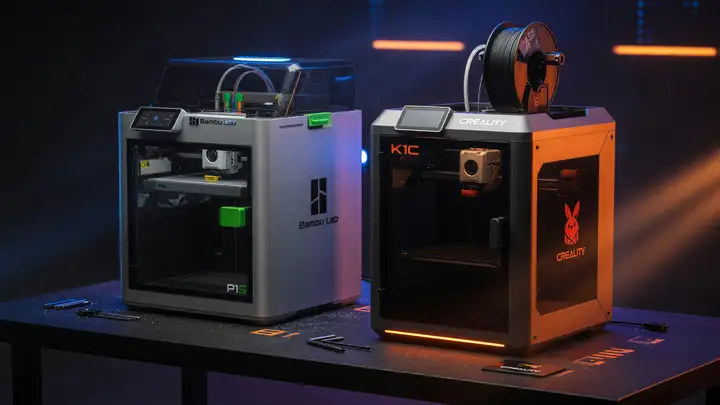
CoreXY printers advanced fast between 2023 and 2026. Two models from that wave—the Bambu Lab P1S and Creality K1C—still sit on shelves even as newer machines undercut them on price. Most buyers now face a straightforward trade off: pay more for the P1S’s polish or save money with the K1C and its factory carbon fiber support. Pricing and Street Value Street prices place the printers in separate ranges: Bambu Lab P1S : $549 (US), €499 (EU) Creality K1C : $369–559, frequently found near the bottom of that range The...
Best Settings for Carbon Fiber Reinforced Filament (PETG-CF)
Optimize PETG-CF prints with proven nozzle temps, speeds, retraction, drying, and hardened nozzles to prevent clogs and achieve strong, stiff parts.
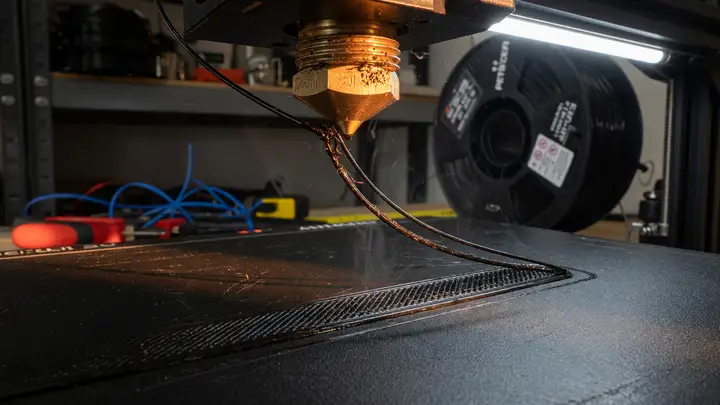
PETG CF combines the impact resistance of regular PETG with added stiffness and stability from the carbon fiber. Stock PETG profiles often cause clogs, weak layer adhesion, and stringing, but a handful of targeted changes to temperature, speed, and hardware resolve those problems. Carbon Fiber Content and Its Practical Impact Most commercial PETG CF filaments contain 8–20 wt% carbon fiber. At the low end (8–10 %), stiffness improves noticeably with only modest nozzle wear. Move into the 15–17 % range and parts...
Build an Interactive Desktop Background with React, TypeScript, and Tauri
Build a lightweight interactive desktop background using React, TypeScript, and Tauri 2.0 with transparent windows and minimal resource usage.
Why Tauri Fits Desktop Background Use Cases Tauri 2.0 reached stable release in October 2024. It produces bundles between 3–15 MB and sits at roughly 42 MB idle—about 96% smaller and 58–75% lighter than typical Electron apps. Cold starts land around 380 ms. Those metrics matter when the window has to stay resident without stealing resources. The Rust backend and scoped capability model also shrink the attack surface compared with a full Node runtime. The license is MIT/Apache 2.0, there are no royalties, and the...
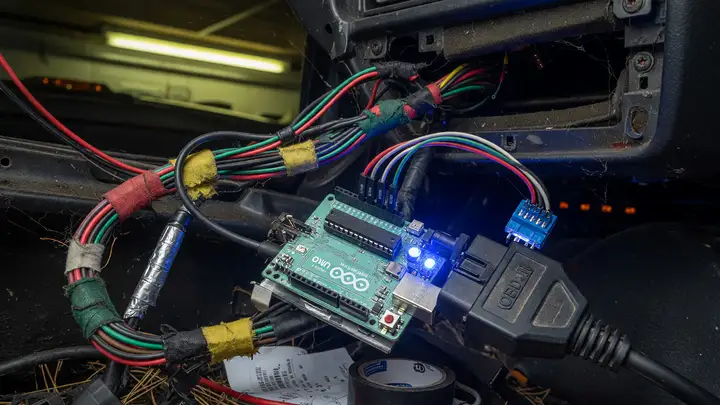
CAN-Bus Reverse Engineering: How to Map Signals in Your Car Using Arduino
Reverse engineer your car's CAN bus with Arduino and MCP2515 to map signals like RPM and speed. Practical hardware, code, and workflow for custom projects.
Your car’s CAN bus carries every critical data point—RPM, speed, throttle position—yet manufacturers rarely publish the mappings. Reverse engineering these signals turns a generic OBD II port into a precise data source for logging, dashboards, or custom controllers. An Arduino paired with an MCP2515 shield gives you a low cost way in. The same approach works across vehicles from VW Golf MK7s to 2016+ Toyotas, provided you work methodically. Hardware Options Compared Three Arduino compatible modules show up in most...
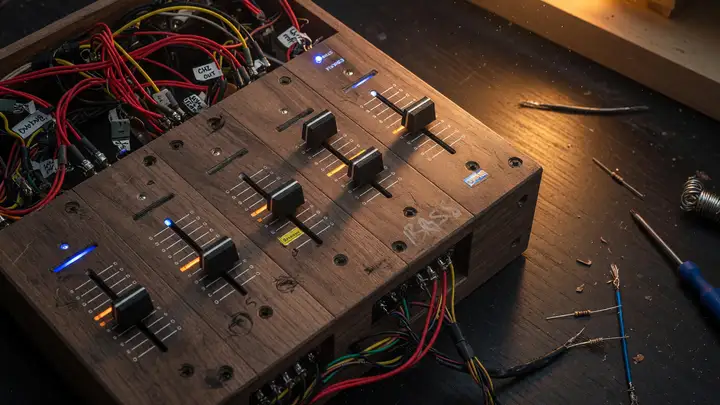
DIY MIDI Controller: Build a Custom DJ Mixer with Bourns Slide Faders
Build a custom DJ mixer with Bourns slide faders and Teensy for MIDI control. Affordable DIY solution with open-source code, schematics, and component comparisons.
Commercial DJ mixers lock you into fixed layouts and high prices. A custom build using Bourns slide potentiometers gives you the exact channel count, taper, and travel you need—at a fraction of the cost. Bourns PTA and PTF series faders sit at the center of most reliable, low cost MIDI builds. These carbon track pots handle audio tapers, center detents, and travel lengths from 15 mm to 100 mm, with cycle ratings between 15 000 and 100 000. Why Bourns PTA/PTF Faders Fit DJ Builds Bourns models strike a practical...
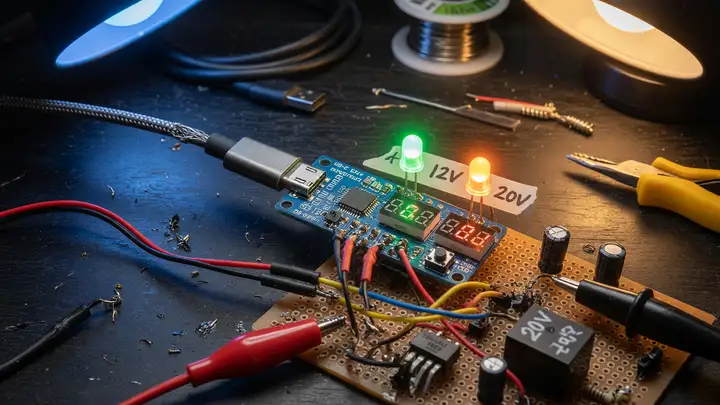
DIY USB-C PD: How to Pull 12 V / 20 V Directly to Your Project
USB-C PD trigger boards like ZY12PDN, CH224K, and IP2721 let you pull 12V or 20V directly from chargers. Compare options, wiring tips, and safety for your projects.
USB C Power Delivery turns ordinary chargers into flexible bench supplies. Most projects still need 12 V or 20 V rails though, not the default 5 V. PD trigger boards handle that gap. They negotiate the higher voltage profiles over the CC lines and pass the requested voltage straight through. What a PD Trigger Board Actually Does A trigger board sits between a USB C source and your load. It acts as a sink, requests a specific voltage from the charger’s Source Capabilities message, and then routes that voltage to...
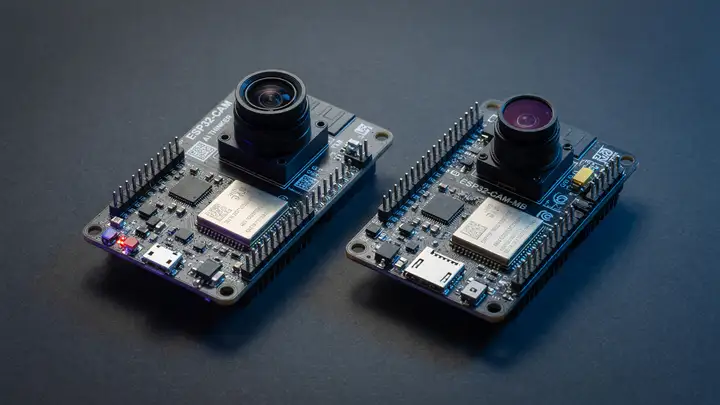
ESP32-CAM vs Seeed Studio XIAO ESP32S3 Sense: Which Board Wins for Budget Edge Vision?
Compare ESP32-CAM and XIAO ESP32S3 Sense for budget edge vision: hardware specs, frame rates, power draw, TinyML performance, and which board fits your prototype.
The ESP32 CAM has served as the default choice for cheap camera projects for years. You can grab one for less than $8 and get a 2 MP sensor along with basic Wi Fi. The XIAO ESP32S3 Sense costs roughly twice as much, so the real question is whether that premium delivers better frame rate stability, more memory, or improved power numbers when capture, inference, and streaming run at the same time. Camera Hardware and Resolution Limits Both boards rely on the OV2640 sensor and top out at 1600×1200. The XIAO Sense...
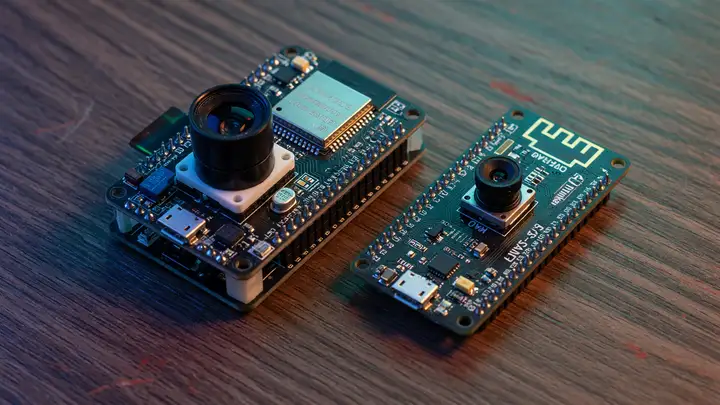
ESP32-CAM vs XIAO ESP32S3 Sense: Which Board Wins for Edge Vision on a Budget?
Compare ESP32-CAM and XIAO ESP32S3 Sense for edge vision on a budget. See specs, FPS, TinyML performance, power use, and which board fits your project.
The ESP32 CAM has handled cheap camera projects for years. Then the Seeed Studio XIAO ESP32S3 Sense arrived in 2023. The real question is when the newer board actually earns its higher price on edge vision work. Core Specs at a Glance Both boards run dual core 240 MHz ESP32 silicon and use the same OV2640 2 MP sensor. Memory and I/O are where they split. | Feature | ESP32 CAM | XIAO ESP32S3 Sense | | | | | | MCU | ESP32 D0WD (LX6) | ESP32 S3R8 (LX7 + AI extensions) | | PSRAM | 4 MB | 8 MB | | Flash | 4 MB | 8 MB |...
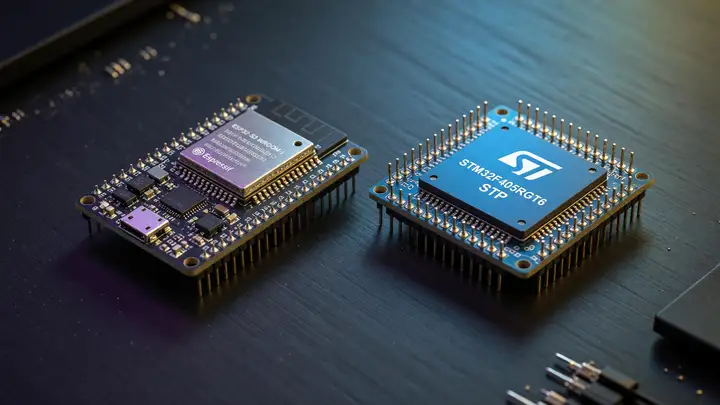
ESP32-S3 vs STM32: Which Microcontroller Should You Choose for Your Next Project?
Compare ESP32-S3 and STM32 microcontrollers: performance, wireless, power use, and dev tools to pick the right MCU for IoT or embedded projects.
The choice usually boils down to one question: do you need Wi Fi and Bluetooth built in, or do you need rock solid real time behavior and years of industrial support? Core Architecture and Performance The ESP32 S3 runs a dual core Xtensa LX7 at 240 MHz. It includes a single precision FPU plus vector instructions that help with simple edge AI jobs, posting 1329.92 CoreMark at full speed. STM32F4 parts top out around 168–180 MHz on a Cortex M4F (roughly 3.4 CoreMark/MHz), while the STM32H7 reaches 480–550 MHz on a...
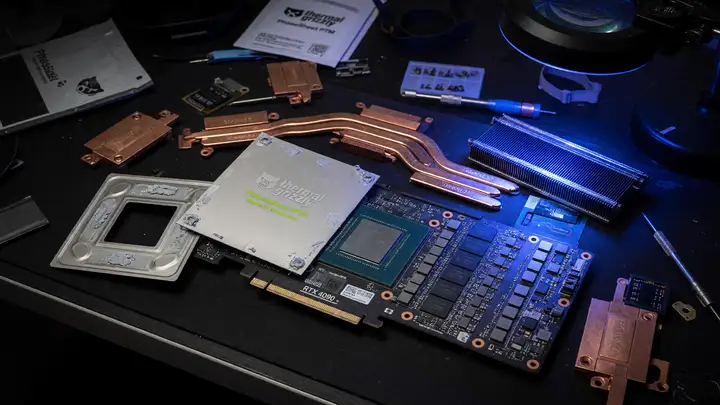
Fixing Thermal Crashes on the RTX 4090: Review of the Thermal Grizzly PhaseSheet PTM
Review of the Thermal Grizzly PhaseSheet PTM phase-change pad and how it resolves RTX 4090 thermal crashes, black screens, and hotspot issues on high-TDP cards.
Plenty of RTX 4090 owners deal with sudden black screens, driver resets, and hard shutdowns once core temps push past 80 °C. The factory paste tends to break down within a couple of years, hardening into a crust that creates hotspots well above 100 °C. Thermal Grizzly’s PhaseSheet PTM uses a phase change pad that avoids pump out while maintaining solid contact on these high TDP dies. Why the 4090 Develops Thermal Problems These cards pull around 450 W under load. Over time the stock paste migrates away from the...
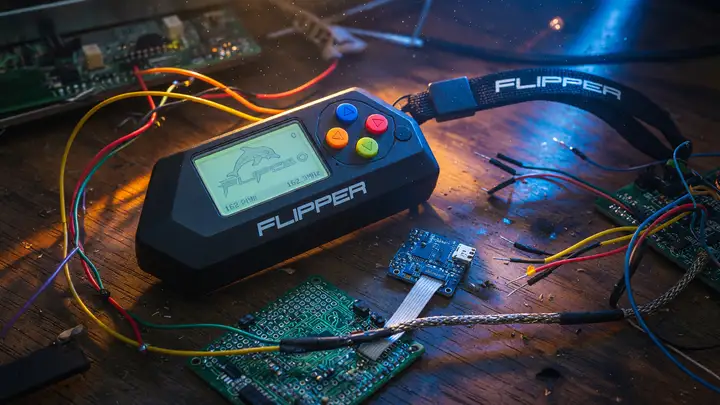
Flipper Zero in 2026: Is It Still the Ultimate Multi-Tool for Pentesting and Prototyping?
Explore whether the Flipper Zero at $169 remains the best multi-tool for pentesting and prototyping in 2026, with firmware updates, comparisons to Proxmark3 and M5Stack, and real-world limits.
The Flipper Zero launched as a compact, multi protocol handheld that promised to replace a drawer full of test gear. Three years later, firmware sits at the 0.105.x series and no new silicon has appeared. The real question is whether that all in one form factor still justifies the $169 price when specialized tools keep closing the gap. Pricing and Availability in 2025–2026 The official price has stayed at $169 for the black edition through the Flipper Devices store. Shipping still takes two to six weeks because of...
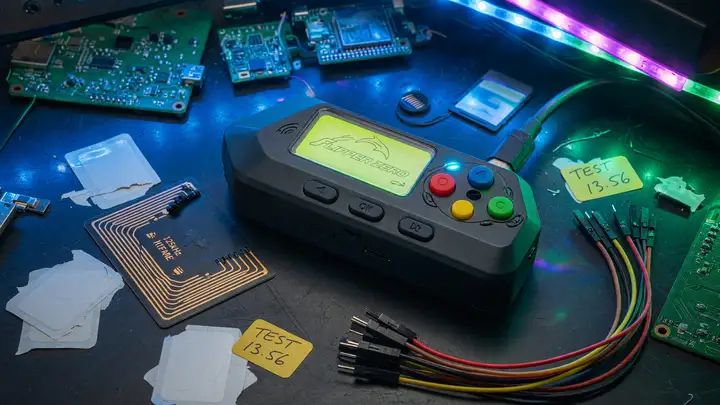
Flipper Zero in 2026: Is It Still the Ultimate Multi-Tool for Pentesting and Prototyping?
In 2026, does the Flipper Zero still hold up as the ultimate pentesting and prototyping device? We compare hardware, pricing, firmware, and alternatives like Proxmark3 and ESP32 tools.
The Flipper Zero hit the market in 2020 with hardware that never changed. Six years on, it still commands premium prices even as faster, cheaper options built around ESP32 chips and dedicated SDR boards have flooded in. For engineers and pentesters, the real question is whether the original device still earns its spot in a pocket or has simply become a legacy gadget. Hardware That Refused to Evolve The core specs remain exactly what shipped at launch: an STM32WB55RG dual core MCU, TI CC1101 sub GHz transceiver,...
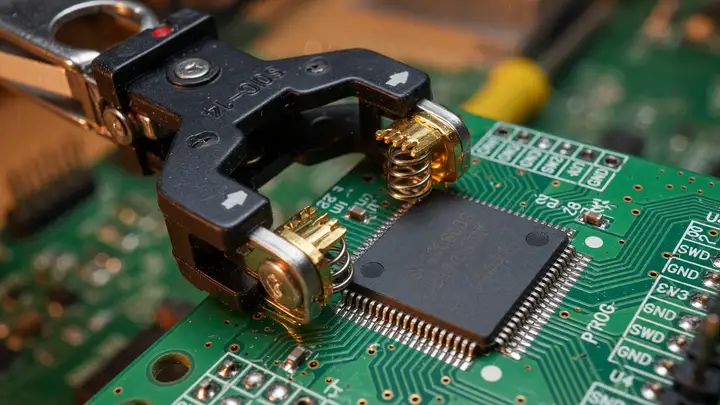
Guide to SOP14 Programming Clips: Flashing Chips Without Desoldering
Learn how to use SOP14 programming clips to flash firmware without desoldering chips. Tips for in-circuit EEPROM and MCU programming, clip selection, and reliability.
Desoldering an SOP14 package risks lifted pads and damaged boards. A programming clip lets you read and write firmware in circuit, provided the pins are accessible and the rest of the board stays quiet during the operation. SOP14 Package Basics An SOP14 part has 14 leads on a 1.27 mm pitch. The body is usually 3.9 mm wide (narrow body) or 4.4–7.8 mm, with an overall length of 10.2–10.8 mm. Clips grip these leads with spring contacts and break the signals out to a standard 2.54 mm DIP 16 header. Most clips are...
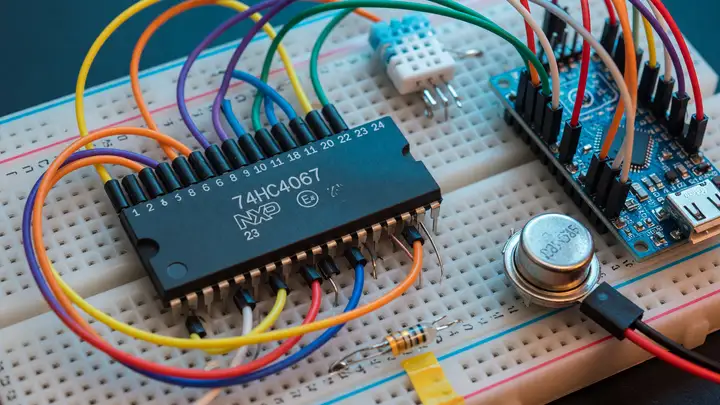
Guide: Getting Started with Multiplexers (74HC4067) for Extra Analog Inputs
Learn how to expand analog inputs on Arduino and ESP32 using the 74HC4067 multiplexer. Covers specs, wiring, code, common pitfalls, and comparisons.
Microcontrollers almost never give you enough analog inputs once your project grows beyond a handful of sensors. The 74HC4067 fixes that by letting you read 16 channels through a single ADC pin. Modules typically cost between $0.76 and $1.58. Core Specifications The chip is a 16 channel analog switch. A single common pin (Z) connects to any of the 16 channels based on a 4 bit address you set on the control pins. Here are the values that actually matter in practice: Supply voltage: 2.0–10 V (74HC version) or...
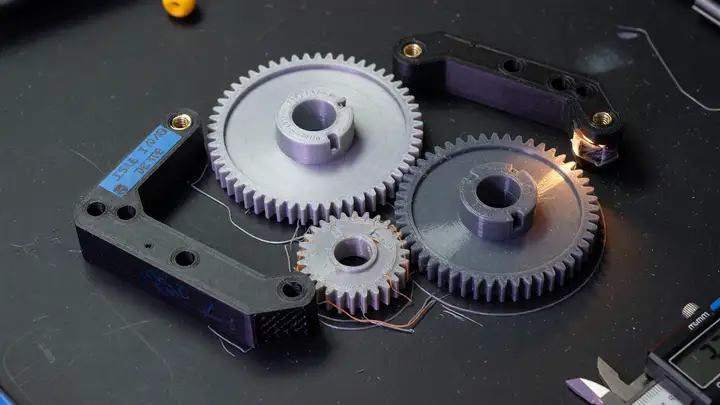
How to Calculate Shrinkage and Scaling Percentages in OrcaSlicer for Technical Parts
Compensate for ABS/ASA shrinkage in OrcaSlicer with filament-level XY/Z percentages. Achieve sub-0.2 mm accuracy on functional parts using a simple calibration workflow.
Why Shrinkage Compensation Matters for Technical Prints Engineering filaments contract as they cool. The effect is global and scales with part size. A 200 mm ASA part that measures 199 mm after cooling needs a 0.5 % correction. Without compensation, assemblies that rely on precise hole to pin fits or stack up tolerances become unreliable. OrcaSlicer isolates this correction at the filament profile level so the same scaling applies across every process that uses that material. OrcaSlicer Shrinkage Parameters and...
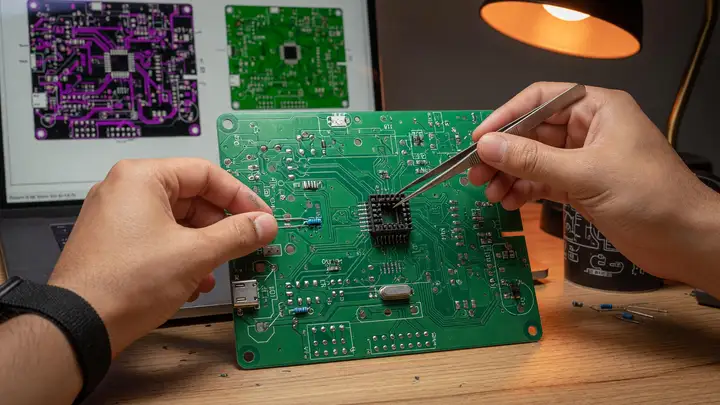
How to Design Your First Custom Printed Circuit Board (PCB) in KiCad
Step-by-step guide to designing your first custom PCB in KiCad 10, from schematic capture and layout to DRC, 3D preview, and ordering boards from JLCPCB or OSH Park.
Not long ago, spinning a custom PCB meant either paying for pricey software or grinding through a brutal learning curve. KiCad 10 removes most of that friction. The open source suite, now at stable version 10.0.4, gives you a complete path from schematic to fabrication files, plus a solid 3D viewer and noticeably better routing tools. Getting Started with KiCad 10 Grab the latest build from kicad.org. It runs fine on 64 bit machines with 1 GB of RAM (8 GB feels more comfortable), OpenGL 2.1 or newer graphics, and...
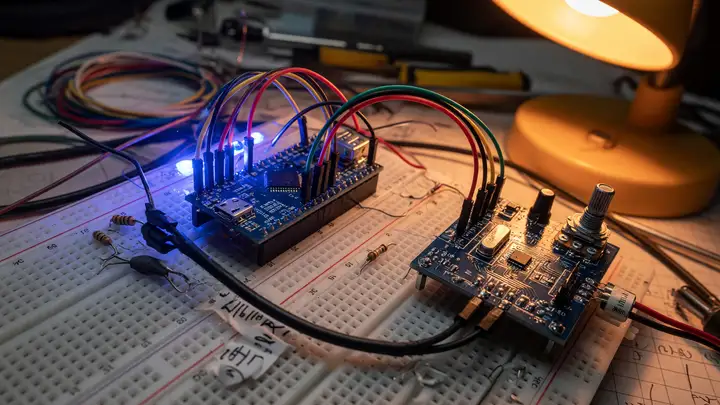
How to Digitally Control Analog Audio Amplifiers via Microcontrollers
Use digital attenuators like the PGA2311 and MCP41HV51 with microcontrollers for precise, low-distortion volume control while preserving analog audio performance.
Analog audio paths still deliver the lowest noise floors and most transparent signal handling in many designs. Builders who need remote, preset, or automated volume control don’t have to abandon the analog chain. A digitally addressed attenuator inserted in the right spot preserves dynamic range and avoids zipper noise. The Core Tension Traditional potentiometers wear out and lack repeatability. Simple digital potentiometers often add distortion or restrict headroom. Specialized volume control ICs solve the...
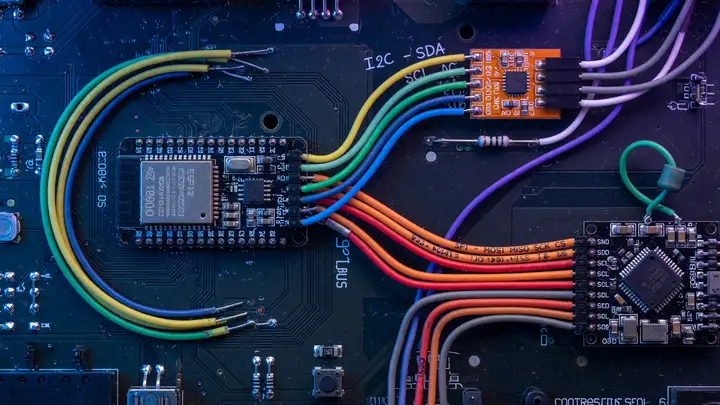
I2C vs SPI: Protocol Comparison for Sensors
Compare I2C and SPI for sensor integration: speed, wiring, power, device limits, failure modes, and practical guidelines for choosing the right protocol in prototypes.
Clock Speed Realities I2C handles most sensors at moderate rates without trouble. Standard mode tops out at 100 kHz, fast mode reaches 400 kHz—the everyday choice—fast mode plus hits 1 MHz, and high speed mode claims 3.4 MHz. Few sensor datasheets actually enable those faster options. SPI has no built in ceiling. Sensors commonly run 1–10 MHz, and clean PCB traces can push 50 MHz. The ICM 20602, for instance, supports 10 MHz on SPI while its I2C side stops at 400 kHz. The real limit almost always sits in the MCU...
JLCPCB vs PCBWay: An Honest Comparison of Turnaround Time and Quality
Compare JLCPCB and PCBWay on turnaround, US shipping, quality, and support with real-world data to help choose the right PCB fab.
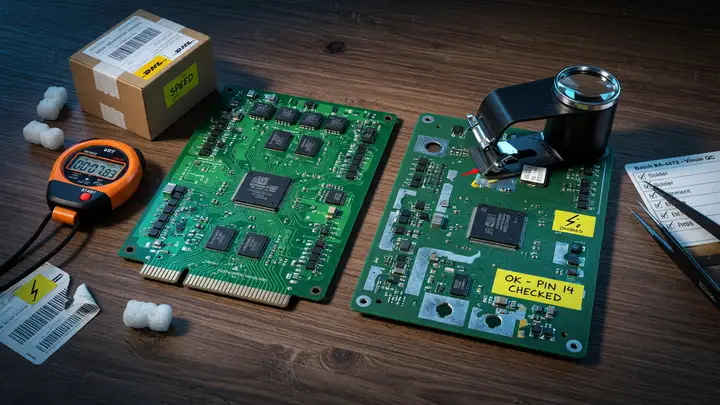
Engineers and makers keep running into the same decision: JLCPCB for low cost and speed, or PCBWay when consistency and support matter more. The gap between quoted lead times and actual delivery often settles the question for any given project. Advertised Lead Times Both fabs advertise 24 hour turnaround on small runs, though real results vary with layer count and order volume. Standard production times (≤100×100 mm boards, FR4 1.6 mm, 1 oz copper) | Layers | JLCPCB (5–50 pcs) | PCBWay (0–50 pcs) | Expedited...
Krita AI Diffusion vs Automatic1111: Which Interface Is Best for AI Art?
Compare Krita AI Diffusion and Automatic1111 for Stable Diffusion. Review integration styles, hardware requirements, workflows, and community support to choose the right AI art tool.
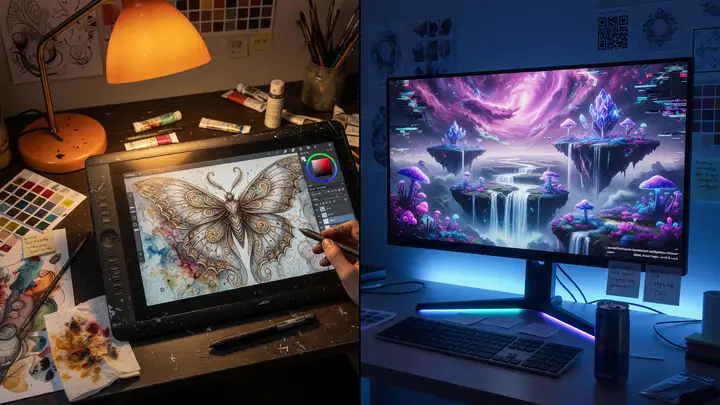
Artists adding Stable Diffusion to their workflow face a choice: generate images inside a familiar painting program or use a dedicated interface for more control. Krita AI Diffusion integrates with Krita, while Automatic1111 stands alone. They vary in how they fit into daily work, what hardware they need, and the size of their communities. Project Scope and Maturity Krita AI Diffusion works as a plugin inside the open source painting app Krita. It relies on a ComfyUI backend and mainly serves people who already...
LoRa vs Zigbee: Which Wireless Protocol is Best for Rural IoT Sensor Nodes?
Compare LoRa and Zigbee for rural IoT sensor nodes. Analyze range, power consumption, cost, data rates and scaling to choose the best protocol for long-range battery-powered deployments.
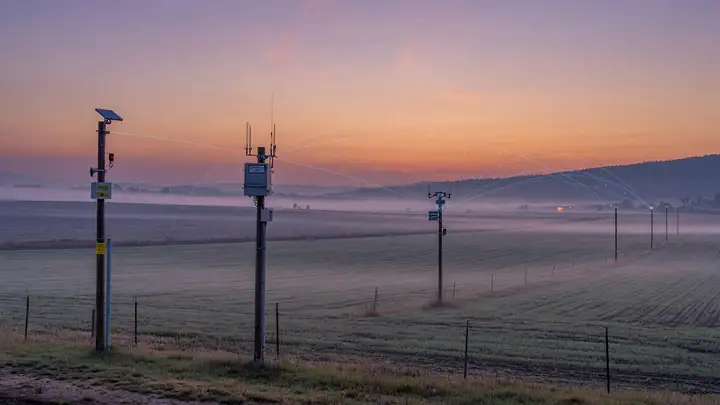
Rural IoT deployments often stretch across kilometers of open terrain where cellular coverage is absent and power is scarce. The choice between LoRa and Zigbee determines whether a sensor network survives years on a single battery or requires frequent maintenance. Range in Open Terrain LoRa at SF12 pulls ahead for long distance rural links. Modules reach 10–15 km line of sight at ground level with standard antennas, and 15–30 km under ideal conditions with elevated gateways. The 161 dB link budget at 868 MHz gives...
Low Power Settings: How to Optimize Your ESP32 for Deep Sleep and Battery Life
Optimize ESP32 boards for deep sleep to hit 5–10 µA draw. Hardware tweaks, firmware settings, sleep mode comparisons, and measured battery life results.
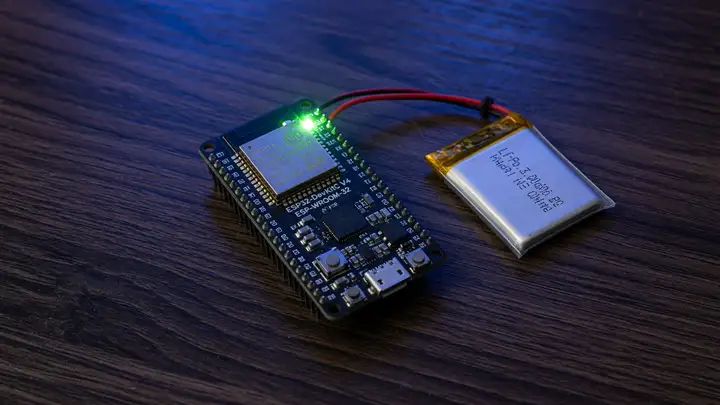
Most ESP32 dev boards drain their batteries in a few days. Stock regulators, always on LEDs, and default firmware keep current draw in the milliamp range. Reaching the chip’s real deep sleep floor of 5–10 µA requires targeted changes on both the hardware and firmware side. Why Stock Boards Fail to Last A typical development board still pulls 5–15 mA even when supposedly asleep. That’s mainly from the LDO’s quiescent current and those always lit LEDs—roughly 500–1,000× higher than the datasheet claims. A 2,000 mAh...
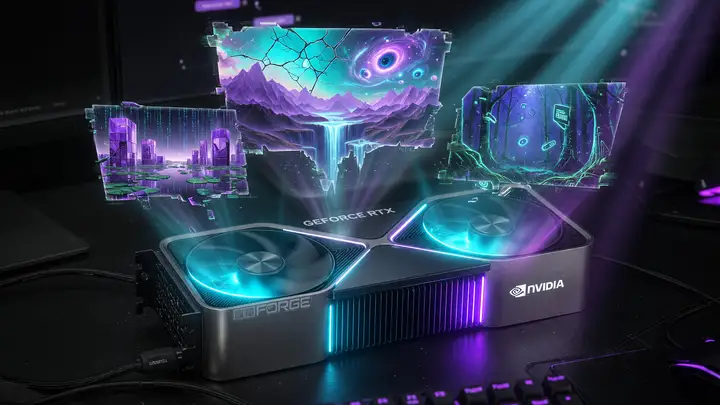
NVIDIA RTX 4090: How to Optimize Drivers for Stable Diffusion and AI Rendering
Optimize NVIDIA RTX 4090 drivers for Stable Diffusion and AI rendering. Achieve up to 7.4 it/s on SDXL using Studio drivers, SDP attention, and the right PyTorch setup.
The RTX 4090 ships with 24 GB of GDDR6X and 16,384 CUDA cores, yet many users still see inference speeds drop 20–90 % after a driver update. The difference between a 7.4 it/s SDXL session and a crawl at 2.5 it/s usually comes down to driver choice and a handful of settings rather than the card itself. Core Specifications That Matter for AI Workloads The AD102 die contains 512 fourth generation Tensor Cores and 128 third generation RT Cores on a 384 bit bus. Memory bandwidth reaches roughly 1 TB/s at 21 Gbps. TDP...
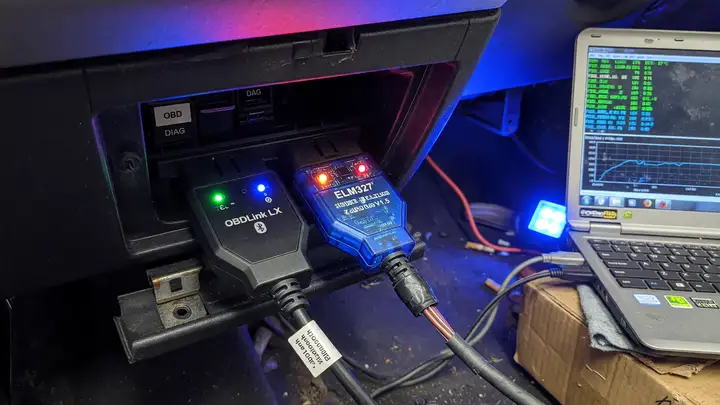
OBDLink LX vs Cheap ELM327 Clones for Data Logging
Compare OBDLink LX and cheap ELM327 clones for OBD-II data logging stability, protocol support, and real-world reliability in continuous sessions.
Review: OBDLink LX vs Cheap ELM327 Clones for Data Logging Plenty of makers grab the cheapest Bluetooth OBD II adapter on Amazon, only to see their logging sessions fall apart after ten minutes. The difference between a purpose built device and a generic clone shows up fast once you need continuous data collection. Hardware and Chipset Differences The OBDLink LX runs on an STN chipset instead of any ELM327 derivative. It handles every legislated OBD II protocol in hardware, including full J1850 PWM/VPW and...
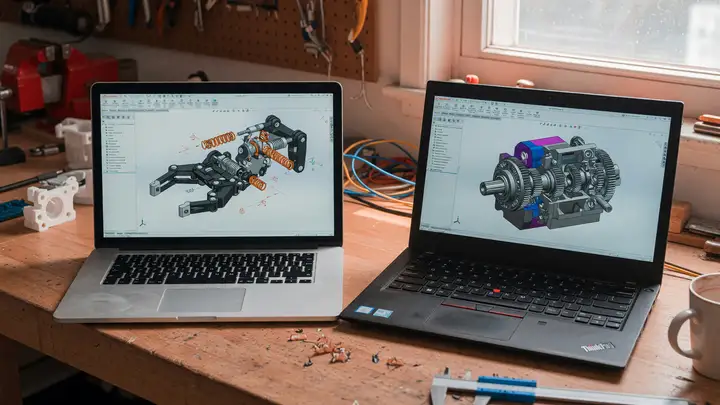
Onshape vs FreeCAD: Best Parametric CAD Software for Makers
Compare Onshape and FreeCAD for parametric CAD. Pricing, collaboration, performance, and which is best for makers and 3D printing workflows.
When choosing parametric CAD, makers face a straightforward trade off: pay for a polished cloud platform or invest time in a free desktop tool that puts you in full control. The better option hinges on your actual workflow rather than marketing claims. Pricing and Licensing Realities Onshape’s free plan includes full parametric modeling, real time collaboration, and version history. The limitations are clear: all documents remain public, private storage caps at 100 MB, and you’re restricted to 10 documents total....
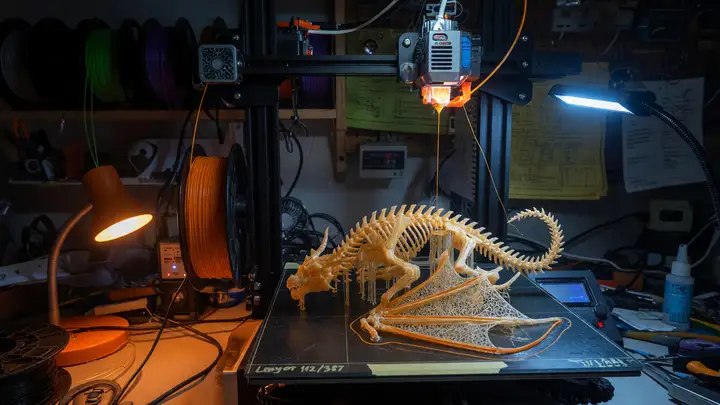
OrcaSlicer vs PrusaSlicer: The Features That Made Me Switch Slicers
Compare OrcaSlicer and PrusaSlicer on calibration tools, printer support, profiles, and workflow speed to decide which slicer fits your 3D printing setup.
Calibration is where most 3D printing workflows hit friction. Printing towers, editing G code by hand, and chasing values across multiple test prints eats up time. OrcaSlicer cuts through a lot of that overhead with built in tools that PrusaSlicer still lacks. The differences in calibration features, printer support, and day to day speed make a strong case for switching once you compare them directly. The Fork Lineage Behind Both Tools PrusaSlicer started as a 2016 fork of Slic3r. Bambu Studio forked PrusaSlicer...
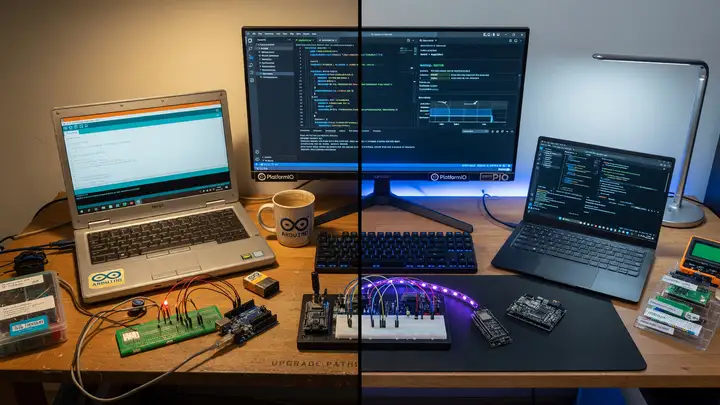
PlatformIO vs Arduino IDE: Why It's Time to Upgrade Your Workflow
Compare PlatformIO and Arduino IDE 2.x for embedded projects. Discover better debugging, dependency management, multi-board support, and migration tips while retaining your existing Arduino code.
Many makers default to Arduino IDE 2.3.6. The single sketch approach holds up for simple projects, but things get tricky once you need multiple boards, real debugging, or team collaboration. PlatformIO offers a solid next step while preserving the Arduino libraries and frameworks you're used to. The Constraints of Arduino IDE 2.x The interface stays clean and the Serial Monitor runs without fuss. Still, the whole setup centers on one sketch. Libraries live in a shared global folder, which quickly creates version...
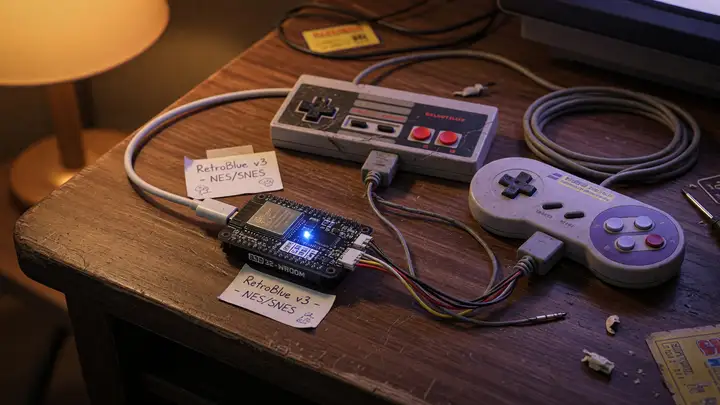
Review: BlueRetro – The Ultimate ESP32 Adapter for Retro Console Controllers
BlueRetro review: ESP32 Bluetooth adapter for retro consoles. Supports PS5, Switch Pro controllers with low latency, multitap emulation and wide platform compatibility.
Retro consoles still deliver sharp gameplay, but they leave you choosing between original controllers and awkward extensions. BlueRetro cuts through that compromise by letting you plug in almost any modern Bluetooth controller across a wide range of systems. How BlueRetro Works The device runs on an ESP32, with Bluetooth handling pinned to core 1. It shows up to the console as a native controller through a DB25 connector and simple passive cables. The firmware manages both BR/EDR and BLE at once, so it pairs with...

Review: BlueRetro – The Ultimate ESP32 Adapter for Retro Console Controllers
BlueRetro review: open-source ESP32 adapter bringing Bluetooth HID support, rumble, and multitap to 20+ retro consoles from one universal board.
Retro gamers know the pain of worn out original controllers and the scarcity of good wireless options. Most Bluetooth adapters lock you into one console. BlueRetro sidesteps those limits with a single open source ESP32 board that bridges classic ports to modern Bluetooth HID devices across a wide range of systems. Hardware and Connectivity Specs The adapter runs on a standard ESP32 with its dual core Xtensa LX6 processor and built in Bluetooth 4.2 radios. Power comes straight from the console’s controller port,...
Review: Edge Impulse – Is It Actually Easy to Train Custom Models for Microcontrollers?
Edge Impulse review: test if the browser-based platform truly simplifies custom ML model training and deployment on Cortex-M, ESP32 and other microcontrollers.
Edge Impulse tries to move you from raw sensor data to a working model on a microcontroller without leaving the browser. For engineers who need custom classification or anomaly detection on Cortex M or ESP32 devices, the question is whether the platform can deliver usable results without forcing you to become an ML specialist. Pricing Reality for Prototyping and Production Edge Impulse restructured its plans in 2025. The Developer Plan is now free and covers most individual and small team work: GPU training...
Review: Edge Impulse – Is It Actually Easy to Train Custom Models for Microcontrollers?
Edge Impulse review covering the free Developer tier, supported hardware, ease of use for TinyML prototyping, and how it compares to TensorFlow Lite Micro and other tools.
Edge Impulse aims to take raw sensor data and turn it into a working MCU binary. The real question for most engineers is how well that holds up once you hit the free tier limits and actual hardware constraints. Pricing and the New Developer Tier The platform moved to a single Developer Plan in May 2025. It’s free and gives you GPU training, 60 minutes of compute per job, 16 GB CPU memory, three private projects, and production licensing for up to 1,000 units. Public projects stay unlimited. The Enterprise Plan...
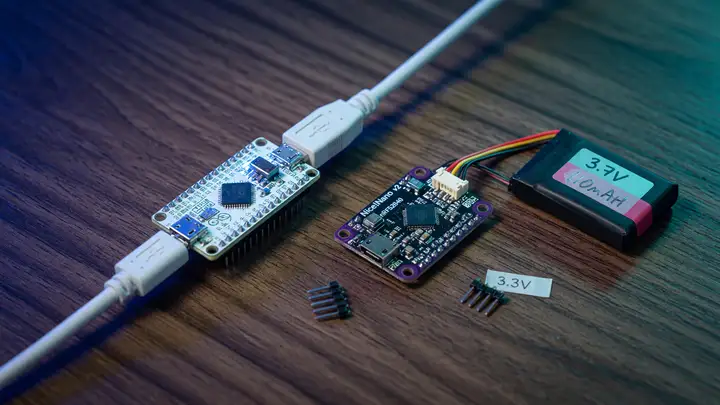
Review: Nice!Nano vs Pro Micro – Is Going Wireless Worth the Premium?
Compare Nice!Nano and Pro Micro controllers for split keyboards: wireless BLE vs wired builds, firmware trade-offs, battery life, GPIO, and cost factors.
Split keyboard builders face the same choice again and again: stick with the familiar Pro Micro or spend more on the Nice!Nano to go wireless. The price jump lands around double per half, yet the real differences show up in power draw, firmware, and how much flexibility you actually get. Direct Specification Comparison Both boards share the same Pro Micro footprint, but the similarities stop there. The Nice!Nano runs an nRF52840 SoC with 1 MB flash, 256 KB RAM, BLE support, and 23 GPIO pins at 3.3 V. It also...
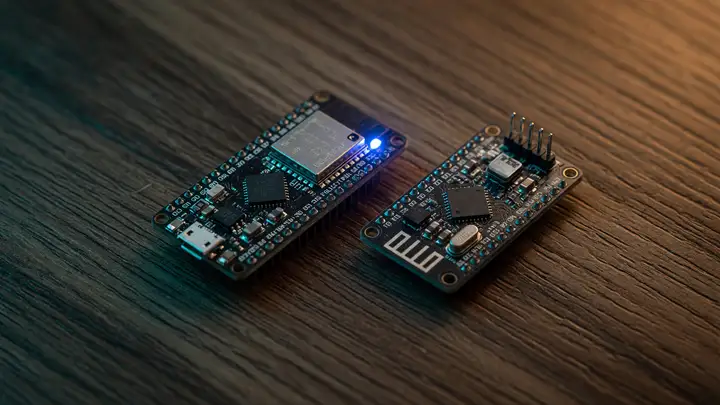
Review: Nice!Nano vs Pro Micro – Is Wireless Worth the Premium?
Nice!Nano vs Pro Micro comparison for split keyboards: specs, pricing, battery life, and when wireless is actually worth the premium.
The Pro Micro has anchored split keyboard builds for over a decade. The Nice!Nano now brings native Bluetooth to the same footprint. It costs two to four times as much and requires you to manage a battery. For anyone building a Corne, Lily58, or similar board, the real question is whether wireless freedom justifies the extra cost and maintenance. Specs Head to Head Both boards use the classic 34 × 18 mm Pro Micro outline, but their capabilities differ. | Feature | Nice!Nano | Pro Micro (ATmega32U4) | | | | | | MCU...
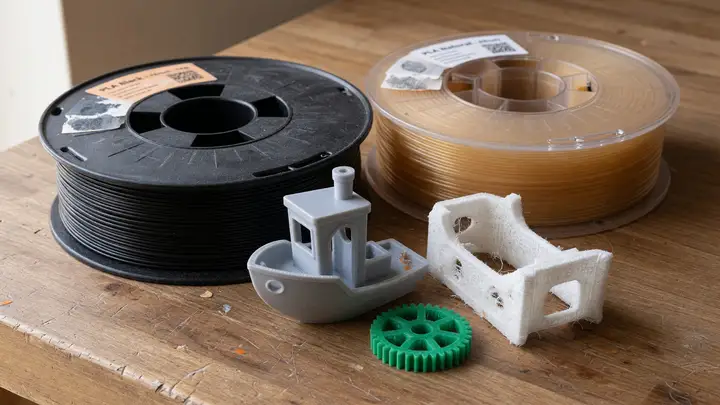
Review: PolyLite PLA vs Prusament – Which Filament Delivers the Best Finish?
Compare PolyLite PLA and Prusament on tolerance, price, colors and surface finish to decide which filament delivers the best 3D printing results.
Two premium PLA filaments sit near the top of many makers’ lists. Prusament promises tight tolerances and backs every spool with verifiable measurements. PolyLite costs roughly half as much yet still aims for smooth, reliable prints. Surface finish often decides which one wins for a given user. Diameter Tolerance and Quality Verification Prusament holds diameter to ±0.02 mm and roundness to ±0.01 mm . A QR code on each spool links to actual measurements taken at regular intervals, plus weight, length, and ovality...
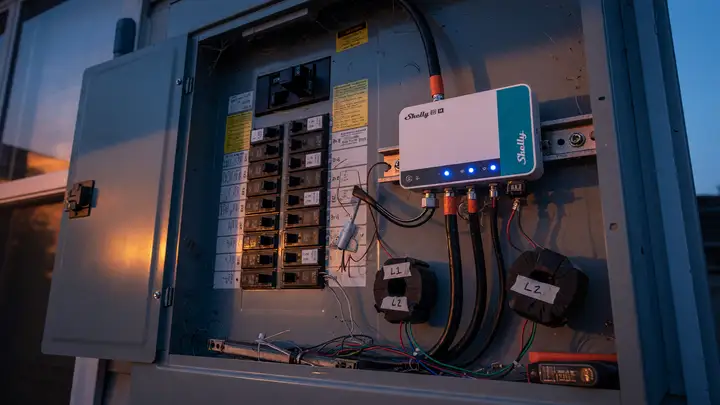
Review: Smart Home Energy Monitoring – Shelly EM vs DIY Current Transformers
Compare Shelly EM vs DIY SCT-013 + ESP32 setups for real-time smart home circuit monitoring: specs, pricing, accuracy, safety, and Home Assistant integration.
Energy monitoring has moved past monthly bills. Now it's about tracking individual circuits in real time. Most people end up choosing between a ready to go commercial unit like the Shelly EM and a custom build using split core current transformers—typically the SCT 013 000 paired with an ESP32. Both approaches give usable data, but they differ in setup time, calibration consistency, and what ownership feels like after a few months. Core Specifications Side by Side Shelly EM units come with factory paired clamps...
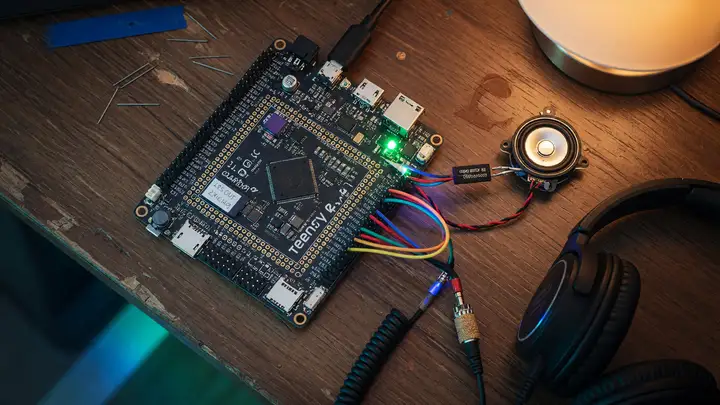
Review: Teensy 4.1 for Audio Projects
Review of the Teensy 4.1 board for low-latency multi-channel audio projects, covering its Cortex-M7 performance, I²S/TDM interfaces, USB Audio support, and comparisons.
Can a compact $30 board deliver low latency, multi channel audio without dedicated DSP chips? The Teensy 4.1 gets close. Its 600 MHz Cortex M7 and mature audio library already power plenty of USB interfaces, synthesizers, and TDM mic arrays in the wild. Hardware at the Core The NXP i.MX RT1062 sits at the center, running at 600 MHz with both single and double precision floating point units. 512 KB of tightly coupled memory provides single cycle access for critical DSP routines, while the remaining 512 KB of SRAM...
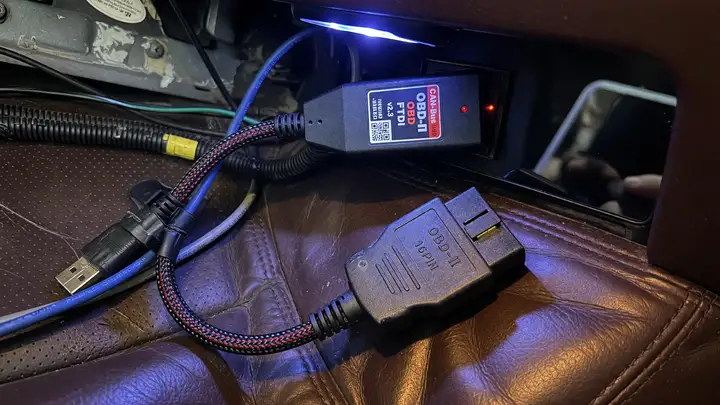
Review: The Best CAN-Bus to USB Adapters for Car Diagnostics
Compare top CAN-Bus to USB adapters like OBDLink, Kvaser, PEAK, and STM32 options for car diagnostics, logging, and development work.
Picking a CAN bus to USB adapter usually comes down to one practical tension: consumer tools built for phone apps versus professional interfaces designed for steady logging and development work. The difference shows up fast in the field. Dropped frames during high speed traces, driver headaches after kernel updates, and isolation failures near high voltage systems all separate the options quickly. Top Contenders in 2024–2025 Five adapters keep showing up in forum threads, manufacturer specs, and real world use:...
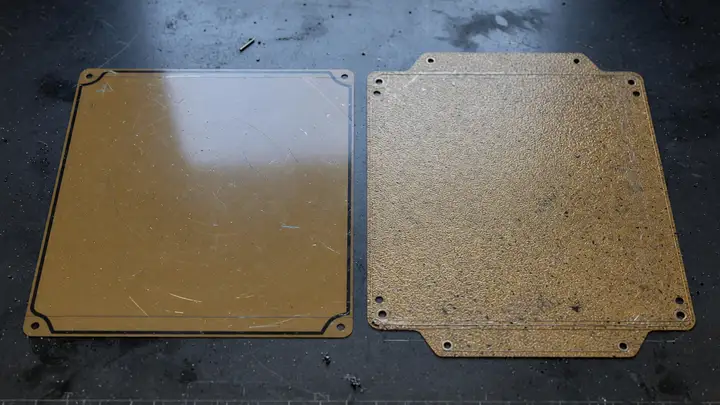
Review: Wham Bam PEX vs Bambu Textured PEI Build Plates
Compare Wham Bam PEX and Bambu Textured PEI build plates for Bambu Lab printers. Covers adhesion, materials, finishes, compatibility, and which plate suits your filaments.
Bambu Lab users face a straightforward choice when swapping build surfaces: stay with the stock textured PEI or try a third party PEX plate from Wham Bam. The better option comes down to the filaments you print most, the finish you want on the bottom of parts, and how much maintenance you’re willing to do. Material Composition and Construction The Wham Bam PEX uses a 0.35 mm custom cross linked polyethylene layer bonded with 3M adhesive to a 0.4 mm (or 0.6 mm XTR) high chromium spring steel flex plate. That...
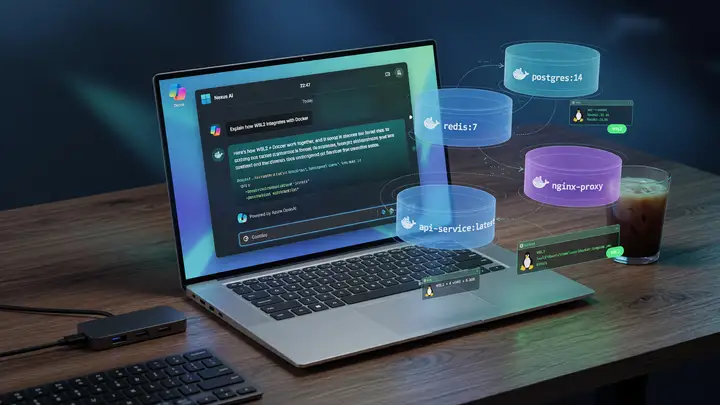
Running LLMs Locally: Docker, WSL2, and Open WebUI on Windows
Guide to running LLMs locally on Windows using Docker, WSL2, and Open WebUI. Covers hardware requirements, licensing, installation, and networking fixes for a stable offline setup.
Running a capable LLM interface on Windows without sending data to third party servers can be tricky. Docker Desktop licensing, WSL2 networking quirks, and GPU passthrough issues often turn a straightforward goal into a long troubleshooting session. This guide walks through a stable, low cost path using the current recommended stack. Hardware Requirements That Actually Matter Community testing and official guidance point to these thresholds for decent performance with 7B–13B models. Minimum viable configuration 16...

Save Time with Obsidian: How to Build an Efficient Knowledge Base for Coding
Build a fast local coding knowledge base in Obsidian with five key plugins. Save time on snippets, architecture notes, and bug logs using plain Markdown files.
Programmers waste hours every week re solving the same problems, digging through browser tabs, or trying to remember what that one GitHub issue said. Obsidian keeps those decisions, snippets, and logs in one place as plain files you can search instantly. Core App, Sync, and Publish Pricing The desktop app is free. No login, no limits, and every note stays as a regular Markdown file on your drive. You can open the same files in any text editor. Only the extras cost money: Obsidian Sync runs $4 per user per month...
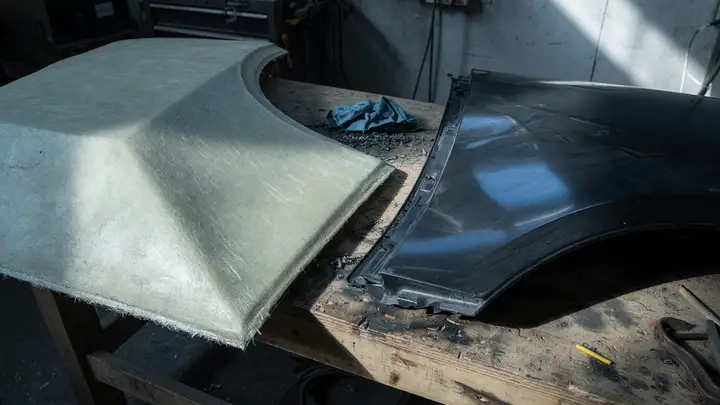
Sourcing Automotive Components: Fiberglass vs ABS Plastic for Aftermarket Parts
Compare fiberglass and ABS for aftermarket automotive parts: pricing, material properties, durability, sourcing lead times, and decision framework for builders.
Aftermarket body panels come with a straightforward trade off. Builders chasing lower weight and higher stiffness lean toward fiberglass. Those who need parts that survive daily driving usually prefer ABS. Neither material wins outright. Price and Availability Fiberglass dominates the aftermarket hood market for cars like the Ford Mustang. Current listings for 2024–2025 models run from $360 to $1,100 depending on year and brand. | Material | Typical Price Range (Mustang Hoods) | Common Suppliers | Notes | | | | |...
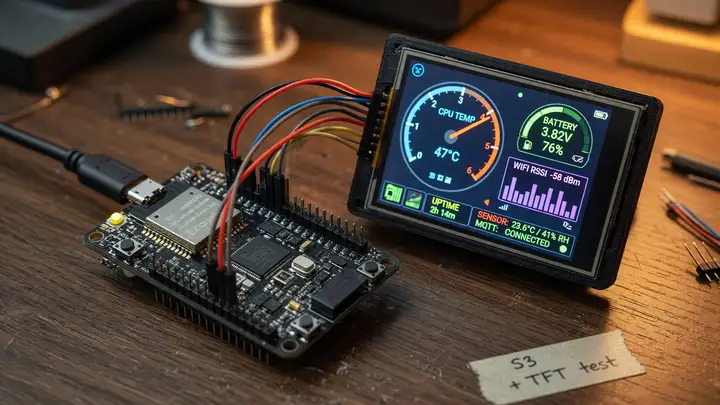
Step-by-Step: Creating a Custom Digital Dashboard with ESP32-S3
Build a responsive custom digital dashboard using the ESP32-S3, LVGL, and color touchscreens. Hardware options, setup guide, code examples, and performance notes for under $25.
The ESP32 S3 packs dual core 240 MHz performance, Wi Fi, and plenty of GPIO for driving color touchscreens. The real question is whether a board that costs under $10 can handle a responsive, always connected dashboard without lag or memory issues. Hardware Foundation At its core sits a dual core Xtensa LX7 processor. Running both cores at 240 MHz delivers 1329.92 CoreMark. The chip includes 512 KB of on chip SRAM and supports up to 32 MB of external PSRAM over Octal SPI. Dashboard projects usually pick modules...
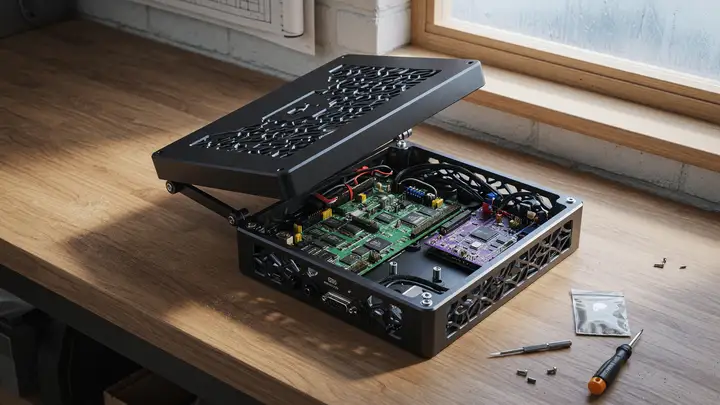
Step-by-Step: How to Design a Custom Electronics Enclosure in Blender
Learn how to design precise 3D-printable electronics enclosures in Blender 4.2 LTS using CAD Sketcher, Hard Ops, and MeshMachine, with workflows for tolerances, wall thickness, and export.
Blender can handle functional electronics enclosures, but most makers still default to Fusion 360 when tight dimensions matter. The difference usually comes down to workflow rather than raw capability. With a few targeted tools and habits, Blender 4.2 LTS manages wall thickness, tolerances, and mounting bosses well enough for reliable 3D printed parts. Preparing Your Blender Environment Start with Blender 4.2 LTS , released July 16, 2024. It includes two years of support and improved boolean and measurement tools...
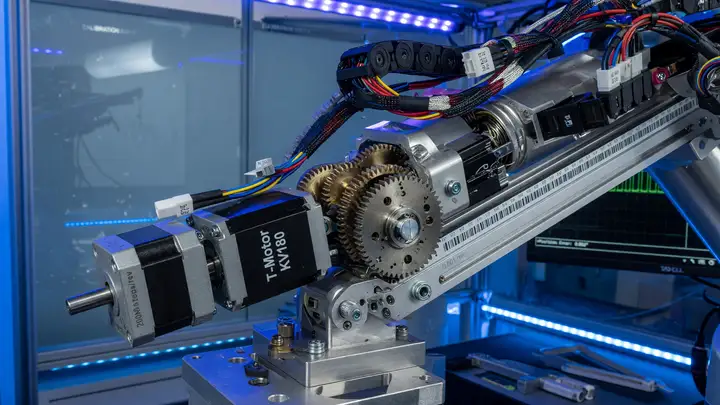
Stepper Motors vs Brushless DC (BLDC) Motors: Which Is Best for High-Precision Robotic Arms?
Compare stepper motors and BLDC servos for robotic arms on precision, efficiency, cost and real-world use in commercial systems like UR5e and Panda.
High precision robotic arms demand sub degree joint accuracy even as loads shift. The choice of motor often determines whether a design maintains ±0.03 mm repeatability or begins to drift after a few hours of operation. Angular Precision and Repeatability Stepper motors deliver reliable open loop performance at low cost. A good NEMA 23 or 34 hybrid with 1.8° steps reaches ±0.02–0.05° repeatability when microstepped at 1/8 or 1/16. Full revolution accuracy typically stays within ±0.05–0.09° because the errors do...
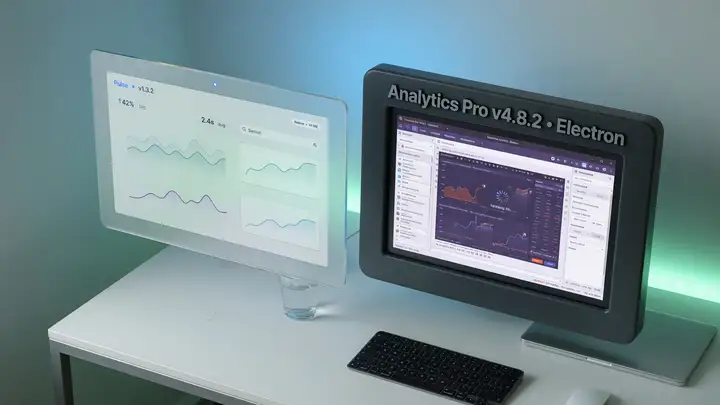
Tauri vs Electron: Why Tauri Is the Future of Lightweight Desktop Apps
Tauri vs Electron: how Tauri delivers dramatically smaller binaries, lower RAM use, and better security with native WebViews and Rust. Real benchmarks and migration results included.
Electron gave web developers an easy path to desktop apps, but the downsides appeared fast in oversized installers. Most Electron apps shipped a complete Chromium build plus Node.js, pushing even basic tools past 80 MB. Tauri takes another route: it uses the system's built in WebView and a Rust backend, cutting the bloat. The Binary Size Gap Electron packages everything inside the installer. Tauri skips that by using the platform WebView already present on the machine and compiling its backend to native code. Real...
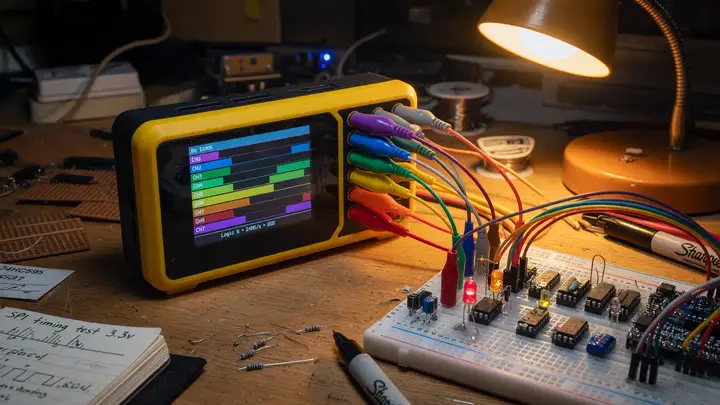
The Best Logic Analyzers for Debugging Digital Signals on a Hobby Budget
Compare the best budget logic analyzers under $150 for Arduino, ESP32 and STM32 debugging, including DSLogic Plus, Kingst LA2016 and open-source PulseView workflows.
Debugging digital protocols on Arduino, ESP32, or STM32 projects often stalls when signals misbehave. A capable logic analyzer removes the guesswork. Plenty of solid options sit under $150 when paired with open source software. Budget Contenders at a Glance Four models keep coming up in EEVblog threads, r/embedded discussions, and recent hobbyist testing. The table below summarizes the specs that actually matter for everyday work. | Model | Channels | Max Sample Rate | Memory / Depth | Current Price | Recommended...
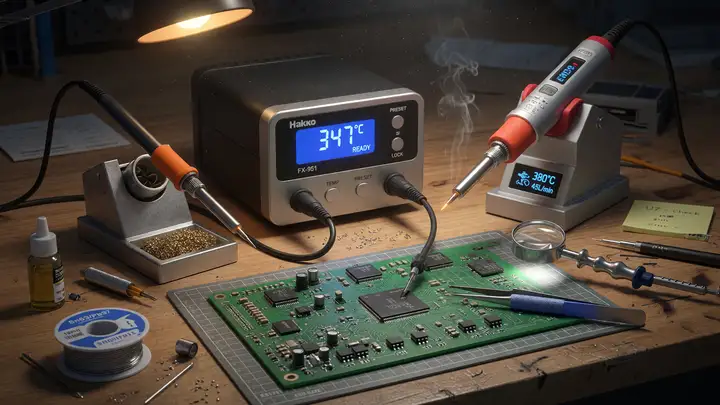
The Best Soldering Stations for Precision and SMD Components Under $150
Compare top soldering stations under $150 for SMD work. Hakko FX-888D, Quicko T12, YIHUA models reviewed for stability, recovery speed and tip options.
Fine pitch SMD work quickly shows where cheap irons fall short. Temperature overshoot, sluggish recovery, and worn out tips turn simple reflow jobs into headaches. Several stations under $150 now deliver the stability and tip options that actually matter for serious hobbyists and engineers. Why Cartridge Tips and Stability Beat Wattage Numbers For SMD components, raw wattage matters less than how fast the tip recovers and how steady the station holds temperature. Cartridge designs put the heater and sensor right...
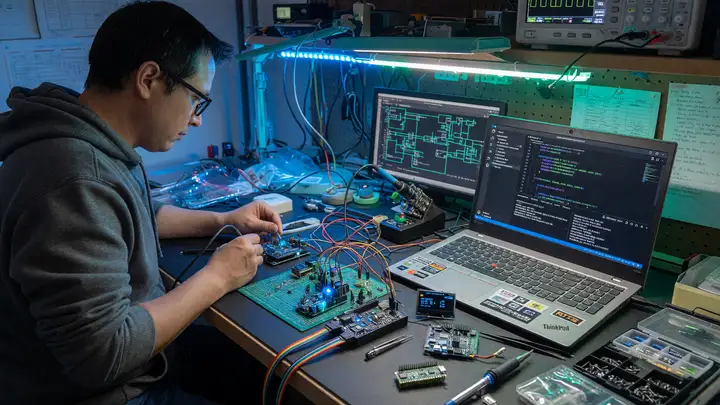
The Best VS Code Extensions for Systems Engineers and Embedded Developers
Top VS Code extensions for embedded developers and systems engineers, including C/C++, PlatformIO, Cortex-Debug, and serial monitors.
Embedded work still means juggling toolchains, debug probes, register views, and serial consoles. VS Code has settled in as the everyday editor for these tasks, mainly because a few solid extensions bridge the gap between full desktop IDEs and lighter setups. The core stack most engineers rely on includes the Microsoft C/C++ extension for language support, PlatformIO for board handling and builds, Cortex Debug for low level ARM inspection, and a serial monitor for the final hardware link. Microsoft C/C++: The Non...
Anker Nano 45W Smart Display Review: Is This a Must-Have Charger?
We test the Anker Nano 45W Smart Display. Is the built-in screen a useful feature, or just an expensive gimmick?
The Anker Nano 45W Smart Display. On paper, it looks like a charger. In reality, it’s a small, complicated piece of kit that forces you to ask: what, exactly, is the built in screen supposed to do for me? If you’re just looking for a reliable 45W charger to juice up your laptop or phone, you can buy dozens of options that do that job perfectly well. The question here isn't about charging power; it’s about the screen. Is that little display a genuinely useful feature, or is it just an expensive way to make a...
Apple Magic Trackpad (USB-C) vs Logitech MX Master 3S: Which is better for macOS?
Compare the Apple Magic Trackpad and Logitech MX Master 3S to see which input device truly optimizes your macOS workflow.
When choosing an input device for macOS, the decision boils down to this: do you need a precise, gesture heavy surface, or do you need an ergonomic, button rich powerhouse? Comparing the Apple Magic Trackpad (USB C) against the Logitech MX Master 3S isn't about finding the 'best' device; it's about figuring out which workflow your actual work demands. Both are excellent pieces of hardware, but they solve fundamentally different problems. The Magic Trackpad is a pure gesture machine. It forces you to rethink how...
Apple Studio Display vs Samsung ViewFinity S9: The 5K Showdown
Which 5K monitor is better for Mac users in 2026? We compare color accuracy, design, and price.
Apple Studio Display vs Samsung ViewFinity S9: The 5K Showdown If you're buying a 5K monitor for a Mac in 2026, you're looking at two premium contenders: the Apple Studio Display and the Samsung ViewFinity S9. Both promise incredible pixel density and sharp visuals, but they approach the task from fundamentally different angles. Choosing between them isn't about which one is 'better' overall; it's about what you prioritize—ecosystem integration, design purity, or raw feature set. We're comparing color accuracy,...
Bambu Lab X2D Multi-Material Printing: AMS vs Rivals in 2026
A hands-on comparison of the Bambu Lab X2D's multi-material capabilities, weighing the AMS against competing systems.
Bambu Lab X2D Multi Material Printing: AMS vs Rivals in 2026 When you’re moving beyond single color prints, the multi material system becomes the bottleneck. For the X2D, the question isn't just if it can print multiple colors, but how reliably it handles material changes, especially when those materials interact. We spent time testing the Bambu Lab AMS against other multi material setups to see where the X2D truly shines—or where it still trips up. The core appeal of the X2D is its ability to handle complex,...
Bambu Lab X2D vs X1C: Is the Upgrade Worth It in 2026?
We compare the new X2D flagship against the reliable X1C to help you decide if the upgrade is worth the cost in 2026.
Bambu Lab X2D vs X1C: Is the Upgrade Worth It in 2026? If you’re looking at upgrading your 3D printer in 2026, the choice between the new X2D flagship and the proven X1C is a common sticking point. It boils down to whether you need the incremental gains of the latest model or if the X1C still gives you enough muscle for your current workflow. I’ve spent time comparing the two so you don't have to guess if that upgrade cost is actually worth it. The Core Difference: Iteration vs. Reliability The X1C set a high bar...
Beelink SER8 as a Gaming Mini PC: How Much Can It Handle?
We test the Radeon iGPU in the Beelink SER8 against modern titles to see its real-world gaming performance.
Beelink SER8 as a Gaming Mini PC: How Much Can It Handle? If you’re looking at a mini PC for gaming, you’re probably expecting a dedicated graphics card. The reality with the Beelink SER8, however, is that you’re relying entirely on the integrated Radeon iGPU. This changes the conversation from 'can it run this game?' to 'what is the realistic expectation for this hardware?' We put the SER8 through its paces with modern titles to see where this integrated graphics solution actually lands in real world gaming...
Best Ergonomic Mice for Carpal Tunnel Prevention
Find the right ergonomic mouse to reduce wrist strain and help prevent carpal tunnel syndrome while you work.
If you spend eight hours a day clicking, your wrist is taking a beating. Wrist strain isn't just about pain; it’s a warning sign that your current setup is forcing your hand into unnatural positions. For anyone dealing with repetitive strain or the nagging suspicion of carpal tunnel syndrome, swapping out your standard mouse for something genuinely ergonomic isn't a luxury—it's a necessary piece of equipment. The goal here isn't just to find a 'comfortable' mouse; it’s to find one that lets your hand rest in a...
Einstar 3D Scanner vs Revopoint POP 3: Best Budget Scanners Compared
Compare the Einstar and Revopoint POP 3 to see which budget 3D scanner delivers the best results for your real-world capture needs.
When you’re dipping into the world of 3D scanning on a budget, the choice between the Einstar and the Revopoint POP 3 can feel like picking between two decent, but ultimately different, tools. Neither scanner is going to replace a high end, structured light setup, but for hobbyists, small scale product documentation, or quick captures, these two models deserve a direct comparison based on what they actually do in the field. My take? The best scanner here depends entirely on your primary capture target. If you are...
Fanttik E1 Max vs Xiaomi Mijia: Best Electric Screwdrivers for PC Building
Compare the Fanttik E1 Max and Xiaomi Mijia electric screwdrivers to determine which tool offers the best precision and performance for your next PC build.
When you’re building a PC, the last thing you need is a stripped screw head or a screwdriver that stalls halfway through a case panel. Choosing between the Fanttik E1 Max and the Xiaomi Mijia electric screwdriver comes down to what you prioritize: raw power and versatility, or refined, controlled precision. Both are marketed for electronics work, but they approach the job differently, and that difference matters when you’re dealing with delicate motherboard standoffs or stubborn case screws. If I had to take a...
Huion Kamvas Pro 24 (Gen 3) for ZBrush: 4K Detail Analysis
We test the Huion Kamvas Pro 24 (Gen 3) in ZBrush, focusing on how its 4K resolution and pen technology handle high-detail sculpting.
Huion Kamvas Pro 24 (Gen 3) for ZBrush: 4K Detail Analysis When you’re deep in ZBrush, working on high poly sculpts, the screen resolution isn't just a nice feature—it’s a necessity. If you’re relying on a display that can’t keep up with the detail you’re carving, you’re fighting your own hardware. We put the Huion Kamvas Pro 24 (Gen 3) through its paces specifically for high detail sculpting in ZBrush, focusing squarely on how its 4K resolution and pen technology stack up against the demands of digital clay. The...
Logitech MX Master 3S Long-Term Review: 4 Years Later
We test the Logitech MX Master 3S after years of daily use. See if this productivity mouse still delivers performance or if it's time to upgrade.
Four years. That’s how long I’ve been using the Logitech MX Master 3S for my day to day work. When you’ve got a mouse that’s been part of your setup for years, you don't write a review based on unboxing hype; you write it based on accumulated wear, muscle memory, and the sheer grind of daily productivity. The question isn't whether it’s good ; it’s whether it still works for the way I work now. When I first got this mouse, it felt like the gold standard for productivity. The sculpted shape, the MagSpeed scroll...
Pinecil V3 Review: Why This $40 Tool Beats $200 Soldering Stations
Expensive isn't always better. We test the Pinecil V3 and show why this affordable, portable iron outperforms bulky, high-priced soldering stations.
Expensive isn't always better, especially when it comes to soldering irons. We tested the Pinecil V3 against the kind of bulky, high priced soldering stations you see on shelves, and the results are clear: portability and focused power beat sheer size every time. If your soldering work involves taking your setup to a friend’s house, working on a breadboard in a coffee shop, or just needing a reliable tool that doesn't take up half your workbench, the massive, multi port stations are overkill. They are designed for...
Prusa XL vs Voron 2.4: Building vs Buying in 2026
Comparing the Prusa XL and Voron 2.4 for 3D printing in 2026. Which build platform is right for your needs?
Prusa XL vs Voron 2.4: Building vs Buying in 2026 If you’re serious about 3D printing in 2026, you’re probably looking at two very different beasts: the Prusa XL and the Voron 2.4. One is a polished, ready to go machine from a brand known for reliability; the other is a highly customizable platform that demands you put in the sweat equity. Deciding between them isn't about which one is 'better'—it’s about what kind of commitment you’re willing to make. We’re comparing the established, multi toolhead approach of...
Sony WH-1000XM6 vs Bose QuietComfort Ultra: The Noise Cancelling War
A deep dive comparing the Sony WH-1000XM6 and Bose QuietComfort Ultra to see which pair dominates noise cancellation.
Sony WH 1000XM6 vs Bose QuietComfort Ultra: The Noise Cancelling War When you’re buying noise cancelling headphones, you aren't just buying better audio; you're buying silence. You're buying the ability to make a transatlantic flight feel like a quiet afternoon in a library. The battle for the best noise cancellation crown is always between Sony and Bose. Right now, the contenders are the Sony WH 1000XM6 and the Bose QuietComfort Ultra. Which one actually wins? It depends entirely on what kind of noise you hate...
XP-Pen Artist Pro 14 (Gen 2) vs 16 (Gen 2): Which Size is Better?
Comparing the XP-Pen Artist Pro 14 and 16 (Gen 2) to help you choose the right size for your drawing workflow.
Choosing between the XP Pen Artist Pro 14 (Gen 2) and the Artist Pro 16 (Gen 2) boils down to one thing: how much real estate you need on your desk. Both are solid, professional grade pen displays from XP Pen, but they aren't interchangeable. Trying to force the wrong size into your current workflow is a guaranteed source of frustration, so we need to get this right. If you are a digital artist who spends hours on the canvas, the size difference matters more than any minor spec sheet variation. It’s about...
XP-Pen Artist Pro 16 (Gen 2) vs Huion Kamvas Pro 19: The Mid-Range King
Comparing the XP-Pen Artist Pro 16 (Gen 2) and Huion Kamvas Pro 19 to determine which drawing tablet offers the best performance for serious digital artists...
When you’re serious about digital art, the choice between a pen display like the XP Pen Artist Pro 16 (Gen 2) and the Huion Kamvas Pro 19 isn't about which one is 'better' overall. It’s about which one’s specific package of features—size, color accuracy, and workflow integration—actually matches your drawing habits. Both tablets aim squarely at the professional mid range user, but they approach the job with different priorities. If you’re looking at these two, you need to stop thinking about them as just 'drawing...
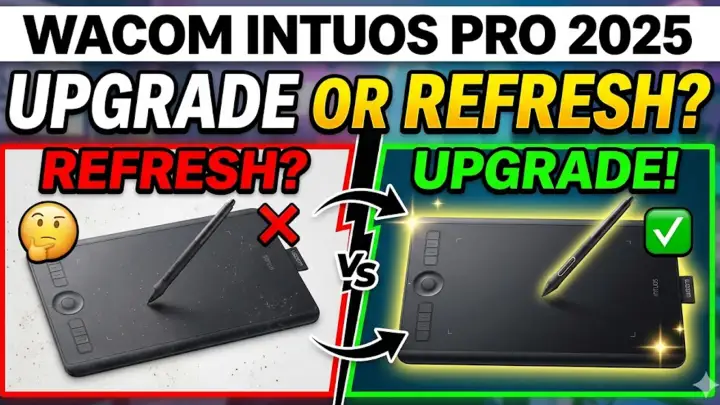
Wacom Intuos Pro (2025)
Was it worth the wait?
Wacom Intuos Pro 2025: Upgrade or Refresh? The Wacom Intuos Pro 2025 has officially arrived, promising substantial improvements for digital creatives. But for graphic designers, illustrators, and photo editors, the core question remains: is this a must have upgrade, or simply an incremental hardware refresh? The answer heavily depends on the age of your current setup and the demands of your daily workflow. What’s New: The Headline Improvements Wacom has focused its 2025 update on fine tuning the physical and...
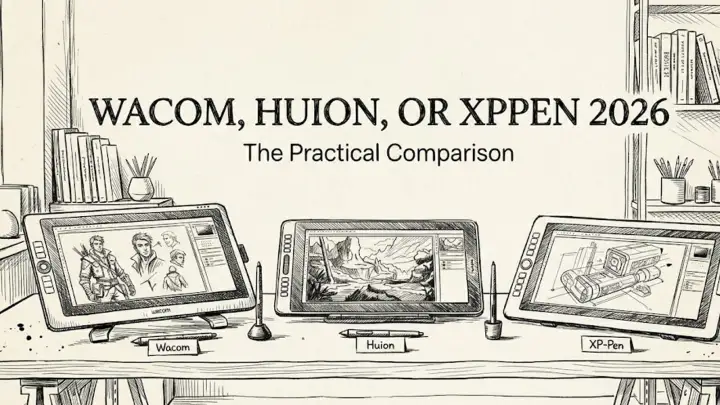
Wacom, Huion or XPen 2025
A practical comparison of Wacom, Huion, and XPPen drawing tablets in 2025.
The Digital Canvas Conundrum You're not buying a tablet; you're buying a tool that will be your daily companion for hours on end. If you've got the budget, it's time to stop worrying about "good enough" and start thinking about what actually works for you. The Lineup: Head to Head 1. Wacom Intuos Pro (2025) If you're working in a professional production environment where downtime isn't an option, Wacom is still the safest bet. Their drivers are enterprise grade, meaning they'll work seamlessly across multiple...
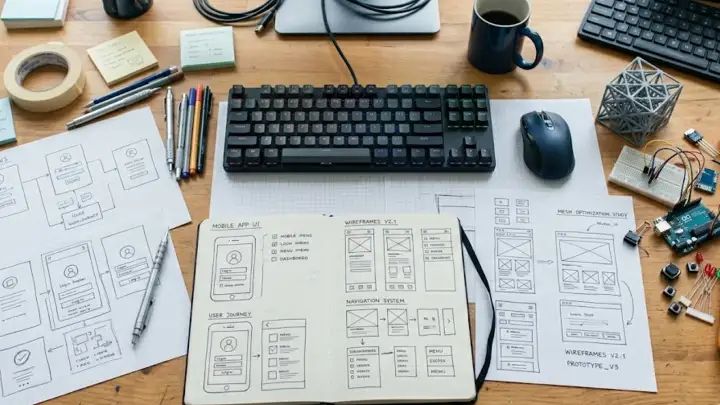
Best libraries for fast UI prototyping
A lean React stack for testing interface ideas before the product spec hardens.
Fast UI prototypes need fewer decisions, not more components. The trap I’ve fallen into more times than I’d like to admit is spending three days configuring a design system for a product that hasn't even proven it should exist. You start by picking a color palette, and suddenly you’re knee deep in a complex theme provider before you’ve even built a functional login button. Lately, I’ve moved toward a "disposable" philosophy. The goal is to get the first interaction on screen quickly enough that the weak parts of...
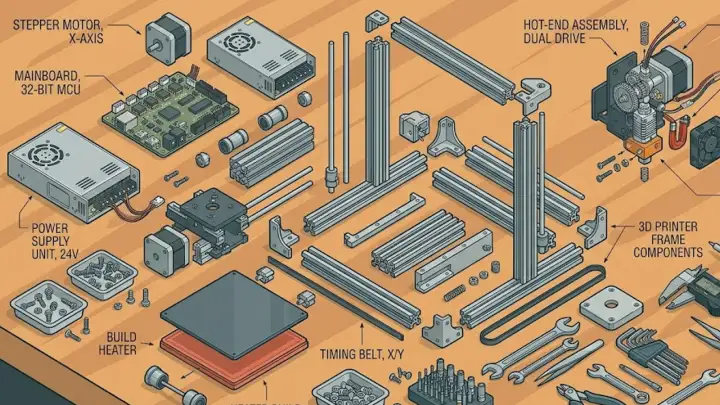
The Hidden Cost of 'Cheap' Printers
Why a $200 'budget' printer often ends up costing more than a $1,000 flagship in the long run.
The allure of the $199 3D printer is powerful. For a beginner, it seems like a low risk entry point into the world of engineering and tinkering. But in 2026, the 'budget' printer market has become a trap of hidden costs, lost time, and failed projects. If you are looking at your first purchase, or upgrading a farm, you need to look past the sticker price. The true cost of a 3D printer is measured over its first 1,000 hours of operation, not the day it arrives. The 'Upgrade' Tax Budget printers are often sold as...