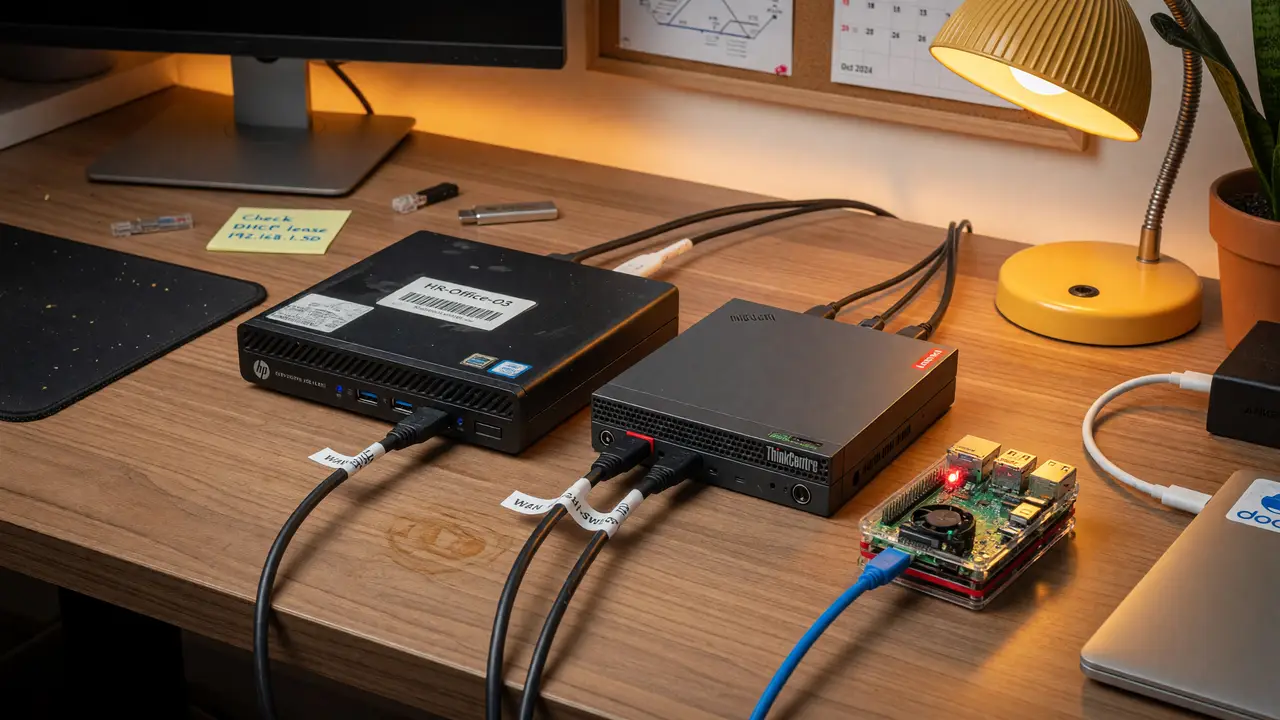
Beyond Raspberry Pi: Why Used Mini PCs (HP/Lenovo) Make Better Budget Home Servers
Compare used HP and Lenovo mini PCs vs Raspberry Pi 5 for budget home servers. Real-world power draw, RAM, storage, and x86 advantages for homelab use.
Raspberry Pi boards have dominated budget home-server talk for years. Lately, though, a lot of builders are realizing that used corporate mini PCs often give you more for the same money—or less.
Used Market Pricing Reality
A configured HP EliteDesk 800 G4 or G5 Mini with an 8th- or 9th-gen i5, 16 GB of DDR4, and a 256 GB SSD typically goes for $100–$200 on eBay. Clean G4 units often land between $110 and $150. Lenovo ThinkCentre M920q and M90q models sit in the same range.
The Raspberry Pi 5 8 GB launched at $80 in 2023, but now runs $95–$125 after the price hikes. Throw in an NVMe HAT, case, and power supply and you’re suddenly close to the price of a ready-to-run mini PC.
Power Draw Under Real Loads
Idle power is the usual knock against x86 mini PCs. In reality, Lenovo M920q and M90q units running Proxmox or Linux settle into the 5–7 W range after a quick power-tuning pass. Some single-drive setups even dip to 4 W. Under light server loads—say a handful of VMs or containers—they usually draw 11–15 W.
By comparison, the Raspberry Pi 5 8 GB idles at 2.7–3.6 W headless. The gap narrows once you factor in what the extra watts buy you: native SATA, multiple M.2 slots, and full x86 compatibility.
| Platform | Idle Power | Light Server Load | Max RAM | Native Drive Bays |
|---|---|---|---|---|
| Lenovo M920q/M90q (i5-T) | 5–7 W | 11–15 W | 64 GB | 3 |
| Raspberry Pi 5 (8 GB) | 2.7–3.6 W | <6 W | 8 GB | 1 (via HAT) |
RAM and Storage Headroom
Both the HP EliteDesk 800 G4/G5 Mini and the Lenovo M920q/M90q have two SODIMM slots that support up to 64 GB of DDR4-2666. Storage is straightforward too—one 2.5-inch bay plus two M.2 2280 slots, so you can run three drives without any external enclosures.
The Raspberry Pi 5 stops at 8 GB of soldered RAM and needs third-party HATs for extra storage. Those HATs add cost, heat, and another failure point.
x86 Advantages for Homelab Workloads
A lot of common home-server tasks—Proxmox, TrueNAS, or running several Docker containers—lean on x86 virtualization extensions and solid driver support. The 8th- and 9th-gen Intel chips in these minis handle transcoding, light virtualization, and network services without the workarounds that sometimes crop up on ARM.
The difference shows up quickly once you push past 8 GB of RAM or need steady I/O.
Practical Acquisition and Setup Steps
- Search eBay or local listings for “HP EliteDesk 800 G4 Mini” or “Lenovo M920q i5” with at least 16 GB RAM.
- Make sure the unit comes with its original 65 W (or higher) power brick.
- Install a lightweight Linux distro or Proxmox, then apply power tweaks with this command:
powertop --auto-tune- Add a second M.2 drive or 2.5-inch SSD whenever you need it—both chassis take standard parts.
Most people end up with a stable 24/7 server within an hour of plugging it in.
Decision Framework
Go with a used mini PC if your workload needs more than 8 GB RAM, multiple drives, or native x86 virtualization. Stick with the Raspberry Pi 5 if minimum power draw or silent operation in a tight space matters most.
Used corporate minis have closed the gap that once made the Pi the automatic pick for budget servers. For most people who want expandability without spending a lot, the HP and Lenovo options are now the better deal.