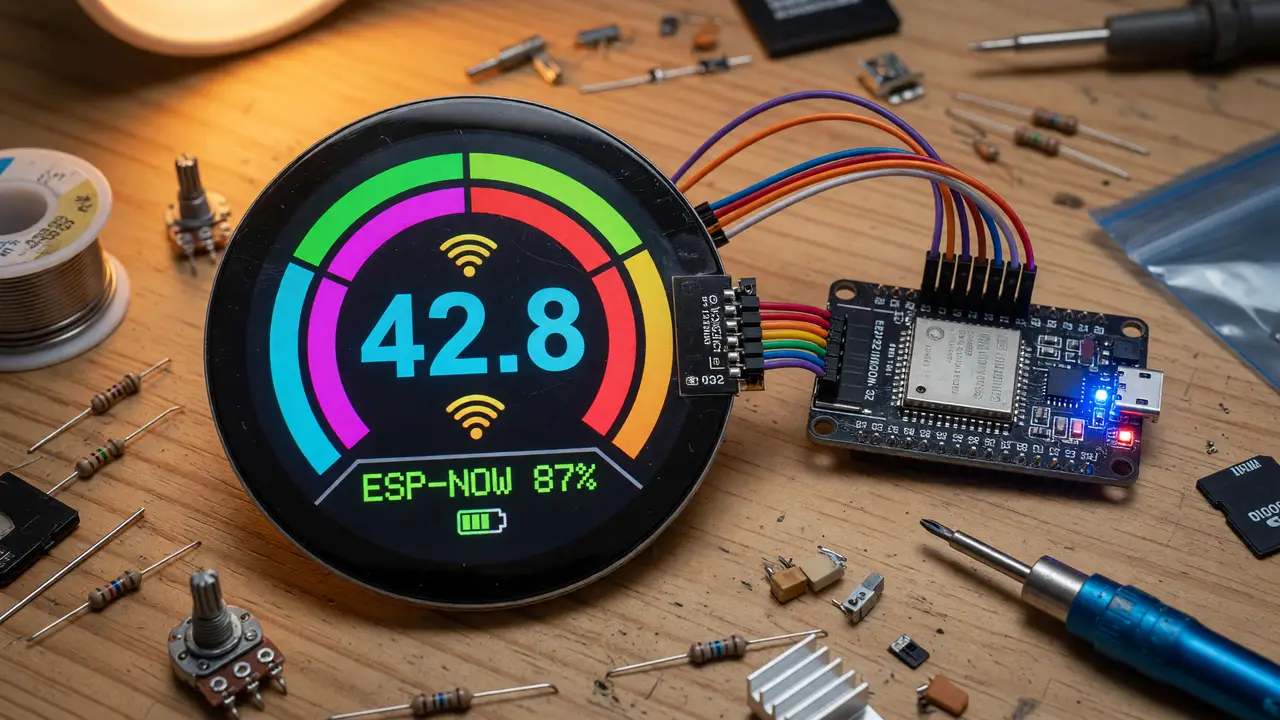
A Complete Guide to Round TFT Displays (480x480) with ESP32
Explore 480x480 round IPS displays with ST7701S for ESP32 projects. Covers sourcing, wiring, Arduino_GFX setup, LVGL integration, and practical tips.
High-resolution circular displays used to mean small SPI panels like the GC9A01. Now 480×480 round IPS modules open up real possibilities for ESP32 projects that need more screen space—dashboards, gauges, or denser UIs.
These panels pack four times the pixels of a typical 1.28-inch round while staying compact for embedded work. Most use the ST7701S controller and an RGB parallel interface, which matches the ESP32-S3’s built-in LCD peripheral well.
Commercially Available 480×480 Round Panels
Three sizes show up most often. All use 40-pin FPC connectors and need SPI for setup plus an 18-bit RGB bus for the actual pixels.
| Size | Driver IC | Brightness | Active Area | Typical Price (AliExpress) | Notes |
|---|---|---|---|---|---|
| 2.1” | ST7701S | 300–450 cd/m² | 53.28 × 53.28 mm | $12–18 | Most common, optional CTP |
| 2.8” | ST7701S | ~400 cd/m² | 70.13 × 70.13 mm | $60–70 | Larger viewing area |
| 3.0” | HX8369A | 450 cd/m² | 53.28 × 53.28 mm | $25–40 | Less community documentation |
The 2.1-inch ST7701S modules—Panox BH021WVC02, Saef SF-TC210B, and various Wisecoco rebrands—have the most ESP32 examples online. They give 80° viewing angles from any direction and run from −20 °C to +70 °C.
Pricing and Sourcing Reality
You’ll find these panels almost only on AliExpress. Waveshare, Seeed, and Amazon don’t stock native 480×480 round modules yet. Current pricing looks like this:
- 2.1” bare module: $12–18
- 2.1” with HDMI driver board: ~$36
- 2.8” variants: $60+
Prices don’t include shipping, and many listings offer optional capacitive touch. Expect 2–4 weeks for delivery.
Recommended Software Stack
Arduino_GFX gives the most reliable support through its Arduino_RGB_Display class. TFT_eSPI doesn’t have official config for these RGB panels, but LVGL runs fine once you wire up the Arduino_GFX backend.
Arduino_RGB_Display *gfx = new Arduino_RGB_Display(
  480, 480, rgbpanel, 0, true, expander, GFX_NOT_DEFINED,
  TL021WVC02_init_operations, sizeof(TL021WVC02_init_operations));
Stick with ESP32 Arduino core 2.0.14 or newer. The library takes care of the RGB parallel bus and the expander signals these modules need.
Wiring and Pin Mapping (ESP32-S3)
Most people start with an ESP32-S3 dev board. A typical pin map is:
- CS: GPIO 40
- DC: GPIO 41
- RST: GPIO 42
- BL: GPIO 48
- SCK: GPIO 36
- MOSI: GPIO 35
The 40-pin FPC carries both the SPI control lines and the full 18-bit RGB data. An I²C expander (usually a PCA9535 or similar) handles reset and chip-select because the ESP32-S3 LCD peripheral wants dedicated signals.
flowchart LR
    ESP32["ESP32-S3"] -->|SPI init| ST7701S["ST7701S Controller"]
    ESP32 -->|RGB parallel| Panel["480×480 IPS Panel"]
    ESP32 -->|I2C| Expander["I/O Expander"]
    Expander --> RST["Reset / CS"]
    Panel --> Backlight["White LED Backlight"]
Practical Integration Tips
- Begin with the Arduino_GFX RGB example and swap in the panel-specific init array.
- Bring LVGL in only after the display can draw solid colors reliably.
- Keep the RGB data lines short and add 100 Ω series resistors if noise appears.
- Plan on 20–30 mA for the backlight at full brightness.
These panels pull more current than small SPI rounds, so give them a dedicated 5 V rail when you can.
Conclusion
Right now the 2.1-inch ST7701S 480×480 round panels strike the best balance of resolution, availability, and ESP32 support. With Arduino_GFX on an ESP32-S3 they make high-quality circular interfaces practical. Major distributors still aren’t carrying them, but the hardware and software pieces are solid enough for real prototyping work today.