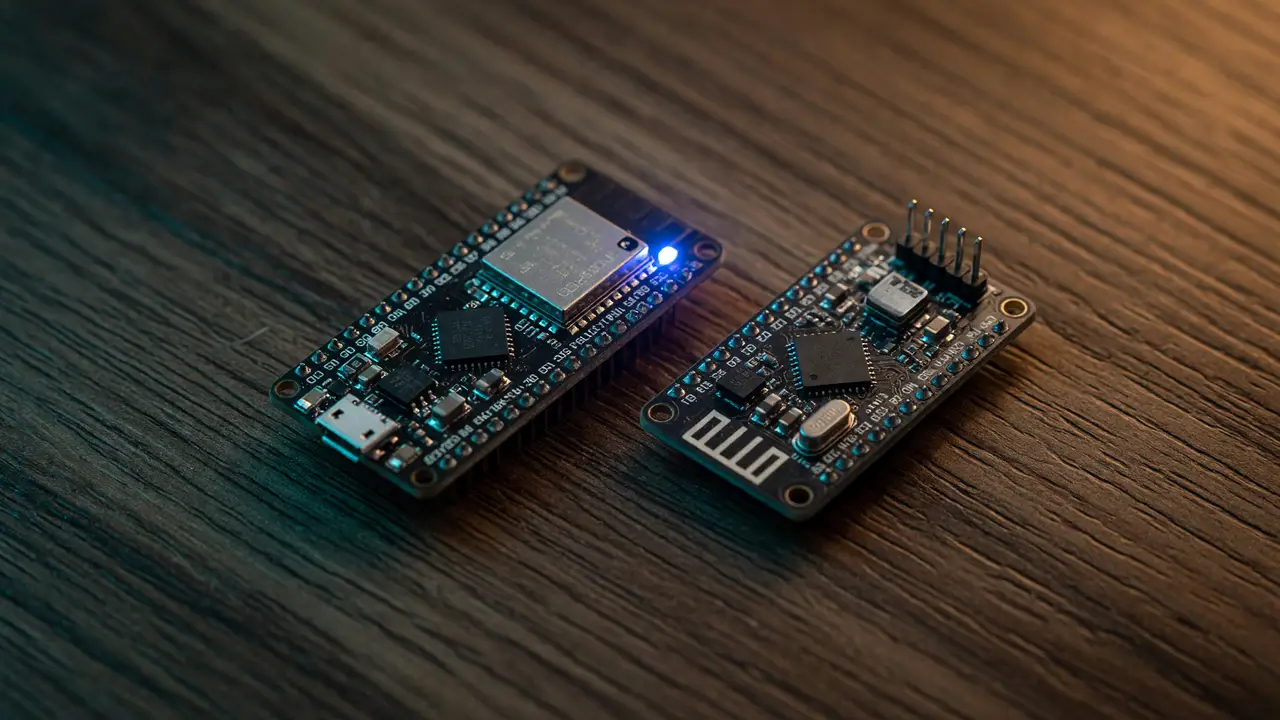
Review: Nice!Nano vs Pro Micro – Is Wireless Worth the Premium?
Nice!Nano vs Pro Micro comparison for split keyboards: specs, pricing, battery life, and when wireless is actually worth the premium.
The Pro Micro has anchored split keyboard builds for over a decade. The Nice!Nano now brings native Bluetooth to the same footprint. It costs two to four times as much and requires you to manage a battery. For anyone building a Corne, Lily58, or similar board, the real question is whether wireless freedom justifies the extra cost and maintenance.
Specs Head-to-Head
Both boards use the classic 34 × 18 mm Pro Micro outline, but their capabilities differ.
| Feature | Nice!Nano | Pro Micro (ATmega32U4) |
|---|---|---|
| MCU | nRF52840 (64 MHz Cortex-M4F) | 8-bit AVR (16 MHz) |
| Wireless | BLE 5.0 (ZMK native) | None |
| Flash / RAM | 1 MB / 256 KB | 32 KB / 2.5 KB |
| GPIO | 21–23 | 18 |
| Voltage | 3.3 V | 5 V or 3.3 V variants |
| Battery support | Onboard 100/500 mA charger | None native |
| Thickness | 3.2 mm (mid-mount USB-C) | 4–12 mm typical with pins |
The Nice!Nano’s larger memory and built-in RTC give it reliable deep-sleep performance the older AVR chip simply can’t match.
Pricing Reality Check
Street prices make the gap obvious. A Nice!Nano v2 runs €27.90–$35, while Pro Micro clones sit between €5.63–$12. Two Nice!Nanos for a split therefore land at $55–70, compared with $15–25 for a pair of Pro Micros. The premium covers the nRF52840, onboard charging, and BLE support. Builders who already own batteries and cases still need to decide if that convenience is worth the difference.
Battery Life in Real Builds
ZMK’s power profiler and user reports line up on numbers for a typical 110 mAh cell: 5–7 days of heavy daily use with LEDs off, or 11–13 days in aluminum Corne cases. Once deep sleep kicks in after 15 minutes of idle (around 20 µA quiescent), most people see 1–2 weeks. Larger 300–600 mAh packs stretch runtime into multiple weeks. The central side drains faster than the peripheral. An 110 mAh pack charges in about an hour at the 100 mA rate. After three years in the field, widespread longevity issues haven’t appeared.
Compatibility and Build Trade-offs
The Nice!Nano drops straight into any Pro Micro socket. The bigger change is firmware: ZMK replaces QMK, and configuration shifts to devicetree overlays instead of C keymaps. Pin mapping stays nearly identical, though the 3.3 V rail and battery-monitoring pads need a little extra attention during layout.
A typical ZMK build command for the Nice!Nano looks like this:
west build -b nice_nano_v2 -- -DSHIELD=corne_left
west flash
Wired Pro Micro builds keep power delivery simple and skip BLE pairing quirks entirely. Wireless builds remove the cable between halves, which improves desk ergonomics, but they add periodic charging and the need to keep a spare Li-Po on hand.
“The 20 µA sleep current is what actually makes daily-driver wireless viable.” — repeated observation across multiple r/ErgoMechKeyboards threads.
Decision Framework
Choose the Nice!Nano when cable clutter between halves is your main complaint, you already plan to use ZMK and want multi-device switching, or battery maintenance fits your routine.
Stick with the Pro Micro when budget is tight, you need several identical boards, you prefer QMK’s mature ecosystem and zero battery logistics, or the board will stay desk-bound.
Practical Takeaway
For most split-keyboard builders, the wireless premium only makes sense if the final layout will spend real time away from a single desk. In pure stationary use, the Pro Micro still delivers the bulk of the experience at a fraction of the cost. Weigh your tolerance for charging cycles against the freedom of two independent halves before you order.
The data is straightforward: the Nice!Nano removes the last wire. Whether that’s worth the extra $40–50 is a personal call, not an automatic upgrade.