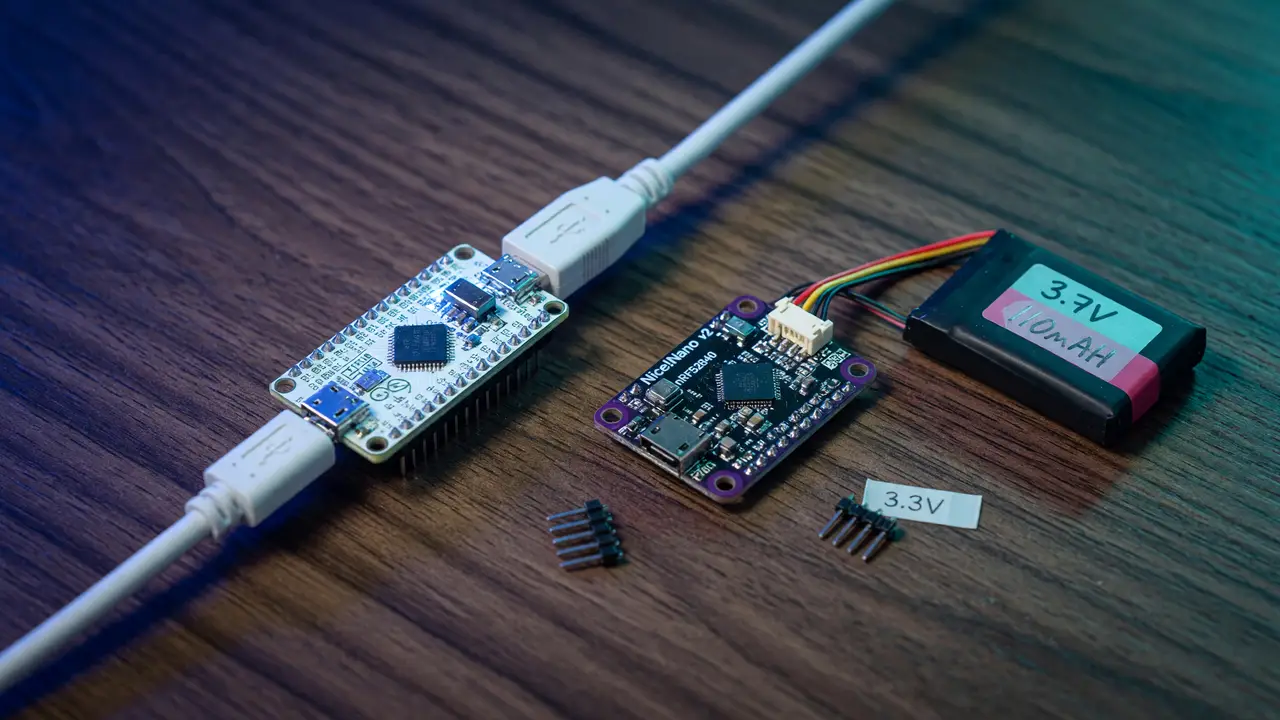
Review: Nice!Nano vs Pro Micro – Is Going Wireless Worth the Premium?
Compare Nice!Nano and Pro Micro controllers for split keyboards: wireless BLE vs wired builds, firmware trade-offs, battery life, GPIO, and cost factors.
Split keyboard builders face the same choice again and again: stick with the familiar Pro Micro or spend more on the Nice!Nano to go wireless. The price jump lands around double per half, yet the real differences show up in power draw, firmware, and how much flexibility you actually get.
Direct Specification Comparison
Both boards share the same Pro Micro footprint, but the similarities stop there.
The Nice!Nano runs an nRF52840 SoC with 1 MB flash, 256 KB RAM, BLE support, and 23 GPIO pins at 3.3 V. It also includes a 32.768 kHz crystal, a mid-mount USB-C connector, and built-in charging circuitry with a MOSFET for battery cutoff. The Pro Micro, built around the older ATmega32U4, offers just 32 KB flash and 2.5 KB SRAM along with native USB HID and 18 digital I/O pins at 5 V.
| Feature | Nice!Nano | Pro Micro |
|---|---|---|
| MCU | nRF52840 (BLE) | ATmega32U4 |
| Wireless | BLE (ZMK) | None |
| GPIO | 23 | 18 |
| Logic level | 3.3 V | 5 V |
| Battery support | Built-in Li-Po charger + monitor | None |
| Thickness | ~3.2 mm (mid-mount USB-C) | 4–5 mm typical |
| Official price (each) | €21.44–€25.94 | $22.50 (SparkFun); clones $4–15 |
Wireless Implementation and Firmware Constraints
The Nice!Nano enables wireless splits through BLE and ZMK. The two halves connect directly over Bluetooth, so you can drop the TRRS cable completely. ZMK handles power management from the start, including deep sleep and connection behavior.
QMK lacks official support because of Nordic SDK licensing. If you rely on specific QMK features, the Pro Micro remains the safer route, or you can try community ports that receive less attention. ZMK uses devicetree overlays instead of C code. The shift speeds up layout changes once the syntax clicks, though it does require learning something new.
Battery Life and Power Behavior
A 90–110 mAh cell with RGB off typically lasts about a month. The Nice!Nano Rev 2.0 reduced quiescent current by roughly 70 % over earlier versions and added 500 mA charging support. Pin P0.04 feeds voltage monitoring so ZMK can display remaining battery.
The Pro Micro draws around 20 mA when active and has no native battery circuitry. Adding wireless requires extra modules and more firmware work. For purely wired builds it stays simpler and cheaper.
Build and Compatibility Details
Both boards drop straight into existing Pro Micro sockets. The Nice!Nano’s square-post headers work well with low-profile Mill-Max sockets and keep the overall height low enough for slim cases. Battery placement between the PCB and controller fits most splits that follow the original footprint.
Rev 2.0 boards added larger pads and better thermal performance. Earlier versions limited charge current to 100 mA; newer ones handle the higher rate. Clones exist, but many omit the improved power circuitry and bootloader refinements found on the SplitKB version.
Cost and Decision Factors
Two Nice!Nano boards run $46–56 before batteries and sockets. Equivalent Pro Micro clones can be found for under $20 total. The extra cost buys wireless operation, more pins, and 3.3 V logic that can simplify certain sensors or displays.
Builders chasing the lowest cost and QMK compatibility usually stay with the Pro Micro. Those who want to remove cables or build low-profile wireless splits tend to accept the higher price.
The wireless upgrade removes the last cable between halves but shifts the entire firmware ecosystem from QMK to ZMK.
Practical Takeaways
- Choose Nice!Nano when the build targets wireless splits, battery operation, or needs the extra GPIO and 3.3 V logic.
- Choose Pro Micro (or clones) for wired keyboards, QMK-only projects, or tight budgets.
- Plan for separate battery sourcing and socketed installation on Nice!Nano builds.
- Test ZMK power profiles early; LED usage dominates consumption.
The Nice!Nano delivers clear advantages for wireless split keyboards. The Pro Micro still makes sense wherever cables are acceptable. The decision ultimately hinges on whether skipping the interconnect cable justifies the added cost and the move to ZMK.